Disclosure: This article contains affiliate links for SkedCast and Buffer. If you buy through them, I may earn a commission at no extra cost to you. I only recommend tools I’ve researched carefully, and my opinions are my own. Read the full disclaimer.
Buffer is one of the best-known social media schedulers. You’ve probably seen it recommended in a dozen “best tools” lists.
But how does Buffer actually work, what do you get for free, and what will it really cost once you add more accounts? Those answers matter, because Buffer charges per channel, and that changes everything for freelancers and agencies.
In this guide, Buffer explained in plain English: its features, the 12 platforms it supports, real 2026 prices from its own calculator, and the Start Page change you should know about.
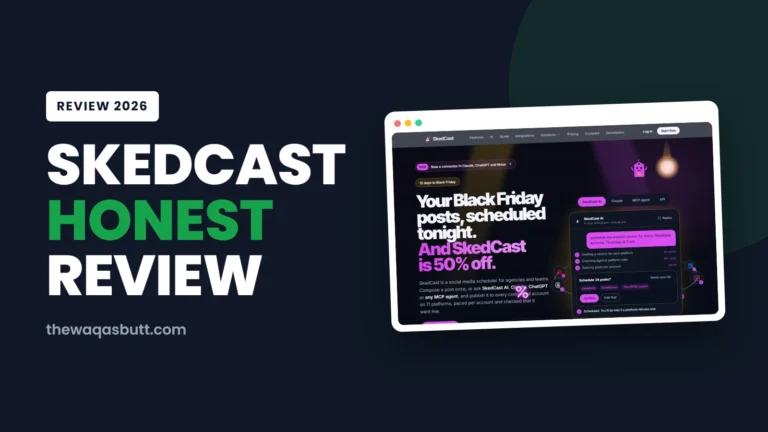
I’ll also show where a newer tool, SkedCast, costs far less for people managing many client accounts.
Quick answer
- What it is: a social media scheduler for creators, small businesses and teams, run by a fully remote company.
- How it works: connect your social accounts (channels), create posts, schedule them in a queue or calendar, reply to comments and check analytics.
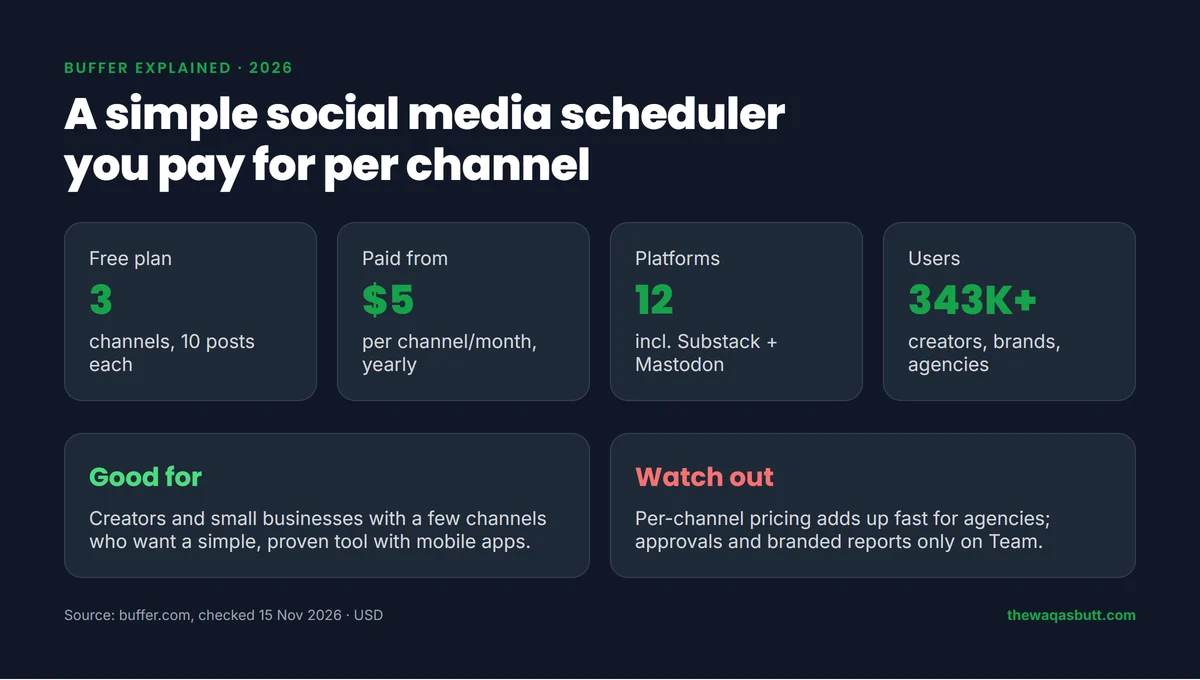
- Free plan: 3 channels, 10 scheduled posts per channel, 1 user.
- Paid plans: Essentials $6 and Team $12 per channel per month on monthly billing, or $5 and $10 on yearly billing.
- Best for: a few channels. For agencies with many accounts, flat-priced SkedCast is usually much cheaper.
In this guide
- What is Buffer?
- How I researched this guide
- How Buffer works, step by step
- Buffer’s main features
- Which platforms does Buffer support?
- Buffer pricing in 2026
- Is Buffer free?
- Buffer Start Page is being retired
- Buffer pros and cons
- Who Buffer is for (and who it’s not)
- Buffer vs SkedCast: the better choice for agencies
- What other Buffer guides get wrong
- Practical tips before you start
- Final thoughts
- FAQ
What is Buffer?
Buffer is a social media management tool. Its homepage calls it “your social media workspace” and says it works with every platform you post to.
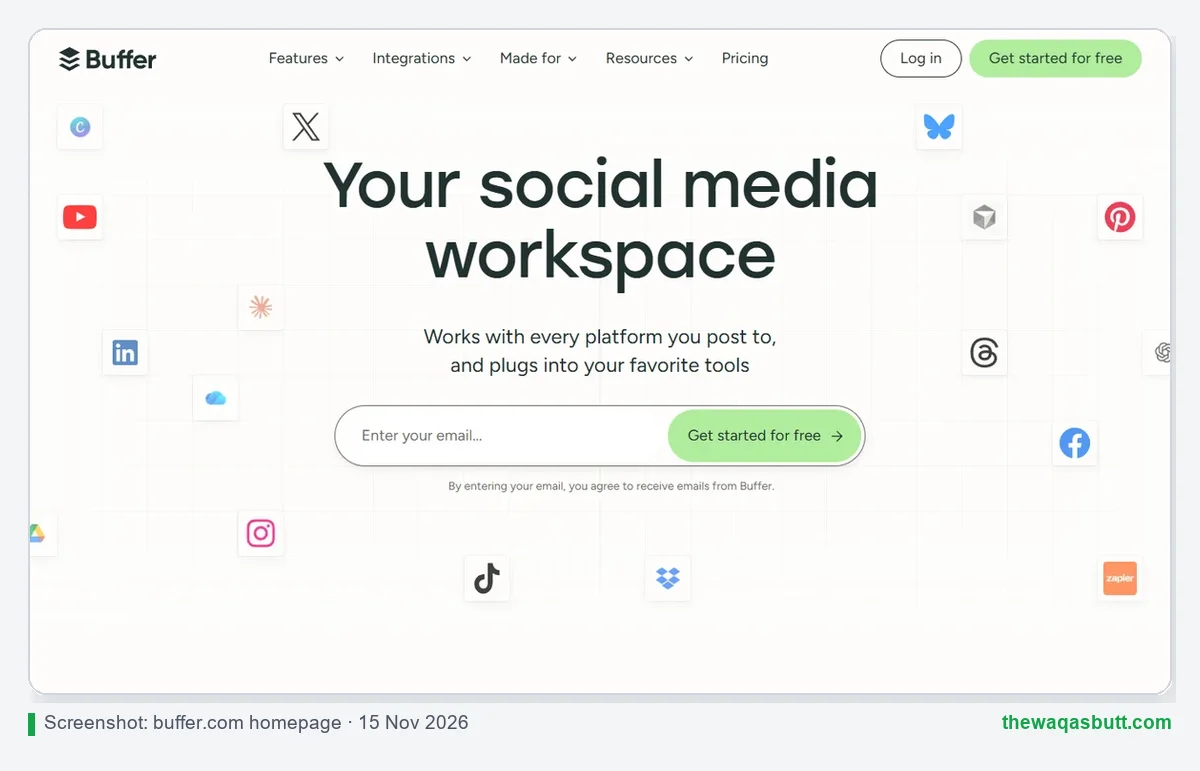
The idea is simple: instead of logging into Instagram, LinkedIn and TikTok one by one, you plan and schedule everything in one place. Buffer publishes your posts at the times you choose.
Buffer has been around for many years and is known for its open approach. It publishes its pricing, salaries and company metrics, and its team works fully remotely around the world. Its homepage counter showed 343,719 creators, brands and agencies using Buffer when I checked.
How I researched this guide
- Official sources: Buffer’s homepage, pricing page (plan cards, feature table and FAQ), AI Assistant page and its Start Page announcement, all checked on 15 November 2026.
- Real totals: I used Buffer’s own pricing calculator to get the exact cost for 3, 10, 20 and 50 channels, monthly and yearly.
- Competitor guides: I analyzed 10 Buffer guides that rank in the US. Several use 2022–2025 prices, and some are written by rival tools.
- SkedCast data: from SkedCast’s official pricing and platform pages on the same day. I don’t claim test results I haven’t run.
How Buffer works, step by step
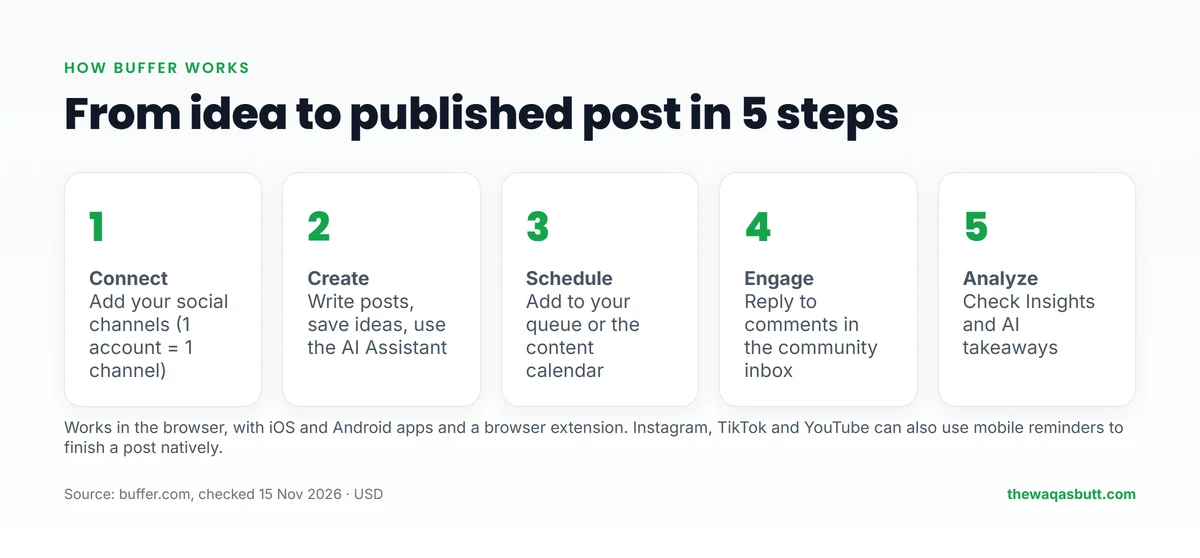
- Connect your channels. A channel is one social account, such as one Instagram profile or one Facebook Page.
- Create your posts. Write them yourself, save ideas for later, or use the built-in AI Assistant to draft and rewrite.
- Schedule them. Add posts to a queue with set time slots, or drag them onto the visual content calendar.
- Engage with your audience. Reply to comments from all channels in the community inbox.
- Check what works. Insights show follower growth, engagement and reach, with AI takeaways in plain language.
You can use Buffer in a browser, on its iOS and Android apps, or with its browser extension. For Instagram, TikTok and YouTube, Buffer can also send a mobile reminder so you can finish a post inside the app.
Buffer’s main features
These are the features that matter most, based on Buffer’s own pricing table.
Publishing: queue, calendar and threads
Every plan includes the posting queue, a visual calendar, link shortening and duplicate posts. Paid plans add unlimited scheduled posts, first-comment scheduling for Instagram, Facebook and LinkedIn, a hashtag manager and channel groups.
AI Assistant
Buffer’s AI Assistant helps you brainstorm, rewrite and adapt posts for each platform. It’s included on every plan, even Free, with unlimited credits according to the pricing table.
Community inbox
You can reply to comments on Instagram, Facebook, LinkedIn, Threads, Bluesky, X, TikTok, Google Business Profile, YouTube and Mastodon from one place. The Free plan gets 5 AI reply suggestions a week; paid plans get unlimited.
Insights and reports
Free shows 30 days of analytics history; paid plans show two years. CSV, PDF and markdown report exports start on Essentials, and branded reports with your logo are only on Team.
Team features
Essentials includes 1 user. Team adds unlimited team members, access levels and approval workflows, which is what most agencies need.
Integrations
Buffer connects with Canva, Google Drive, Dropbox, Zapier, Make, n8n, WordPress, ChatGPT and Claude, among others.
Which platforms does Buffer support?
Buffer publishes to 12 platforms: Facebook, Instagram, TikTok, LinkedIn, Threads, Bluesky, YouTube (Shorts), Pinterest, Google Business Profile, Mastodon, X and Substack, which is newly added.
Substack and Mastodon are a plus if you write a newsletter or reach a tech audience. Telegram isn’t on the list, which matters for communities that live on Telegram.
Buffer pricing in 2026
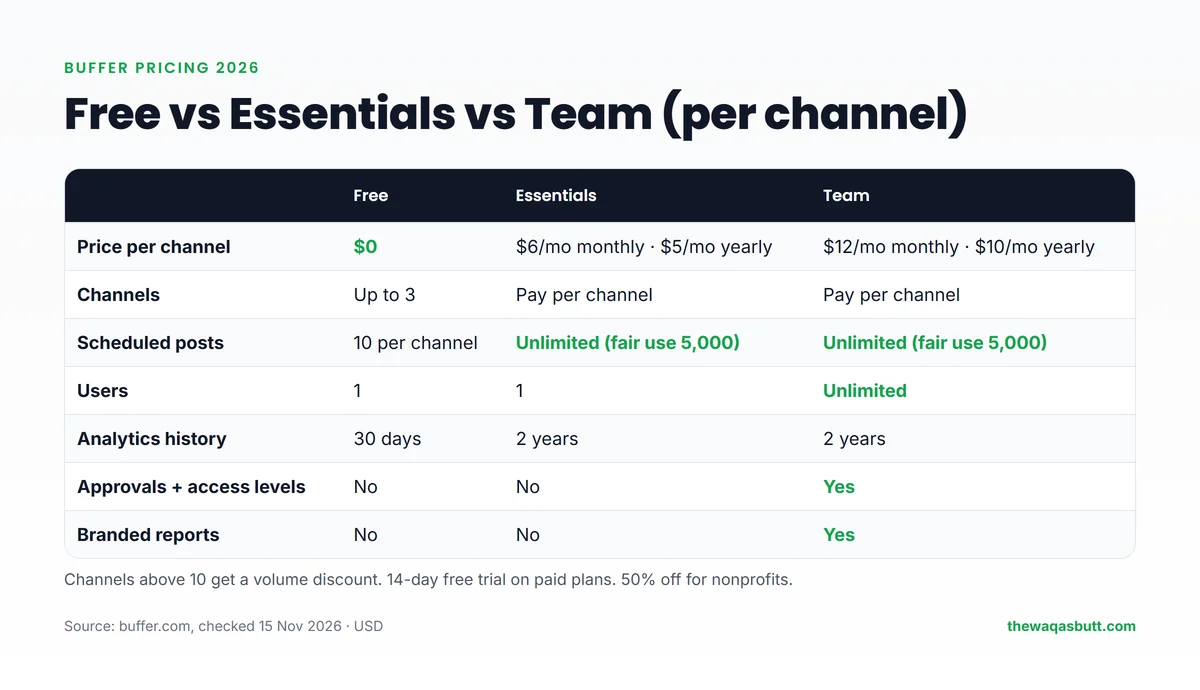
Buffer charges per channel. You pick a plan, then pay for each social account you connect.
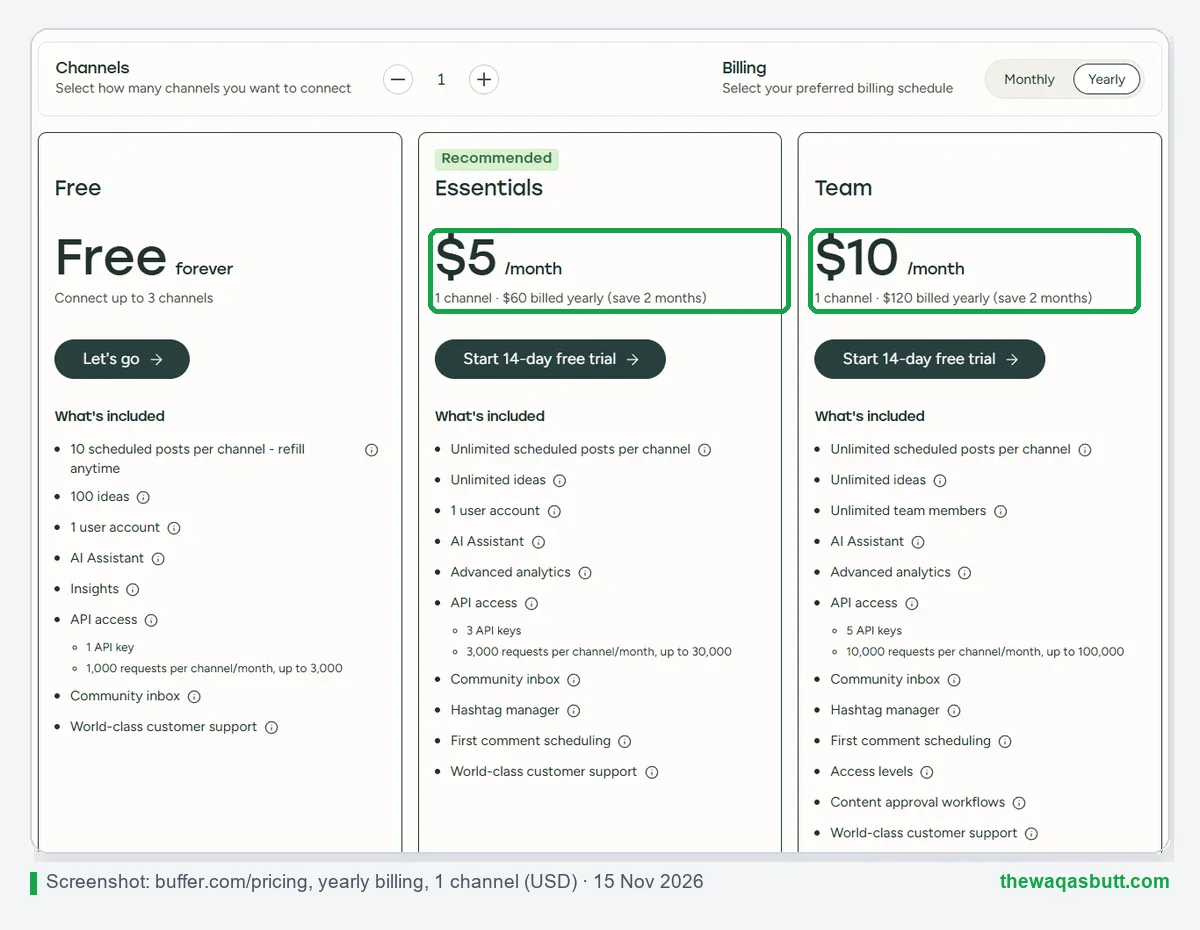
| Plan | Monthly billing | Yearly billing | Users | Key extras |
|---|---|---|---|---|
| Free | $0 (up to 3 channels) | $0 | 1 | 10 scheduled posts per channel, 30-day analytics |
| Essentials | $6 per channel/month | $5 per channel/month ($60/year) | 1 | Unlimited posts, 2-year analytics, report exports |
| Team | $12 per channel/month | $10 per channel/month ($120/year) | Unlimited | Approvals, access levels, branded reports |
What it really costs as you grow
Buffer gives a volume discount above 10 channels. Here are the exact totals from Buffer’s own calculator:
| Channels | Essentials (monthly) | Essentials (yearly) | Team (monthly) | Team (yearly) |
|---|---|---|---|---|
| 3 | $18/mo | $15/mo | $36/mo | $30/mo |
| 10 | $60/mo | $50/mo | $120/mo | $100/mo |
| 20 | $100/mo | $83.33/mo | $160/mo | $133.33/mo |
| 50 | $195/mo | $162.50/mo | $255/mo | $212.50/mo |
Paid plans come with a 14-day free trial, and Buffer offers 50% off for nonprofits and charities. You can start on Buffer’s Free plan and upgrade later.
Is Buffer free?
Yes. Buffer’s Free plan never expires. It lets you connect up to 3 channels, keep 10 scheduled posts per channel at a time (slots refill as posts go out), save 100 ideas and use the AI Assistant.
The limits show up quickly if you post daily: 10 queued posts per channel is about a week and a half of content. There’s also only 1 user and 30 days of analytics.
A practical way to test it: connect your three most important channels on the Free plan, schedule one week of posts and check Insights after seven days. If you keep hitting the 10-post limit, or you need a teammate to help, that’s the moment to try Essentials or Team on the 14-day trial instead of paying straight away.
If a paid trial ends without payment details, Buffer moves you back to Free, and channels above the 3-channel limit are locked.
Buffer Start Page is being retired
Many older guides still recommend Start Page, Buffer’s link-in-bio page builder. Buffer has announced that it’s retiring it.
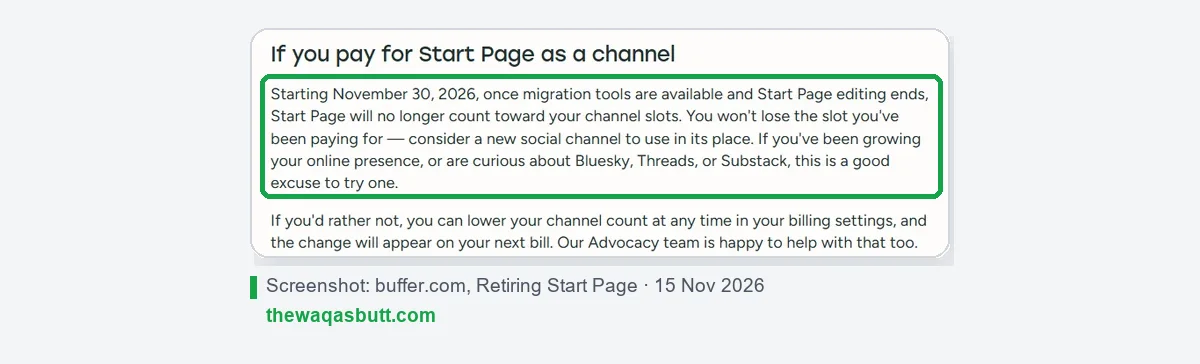
From November 30, 2026, Start Page editing ends and it no longer counts toward your paid channel slots. If you use it, plan to move your link-in-bio page elsewhere. SkedCast, for example, includes a hosted link-in-bio page for each client.
Buffer pros and cons
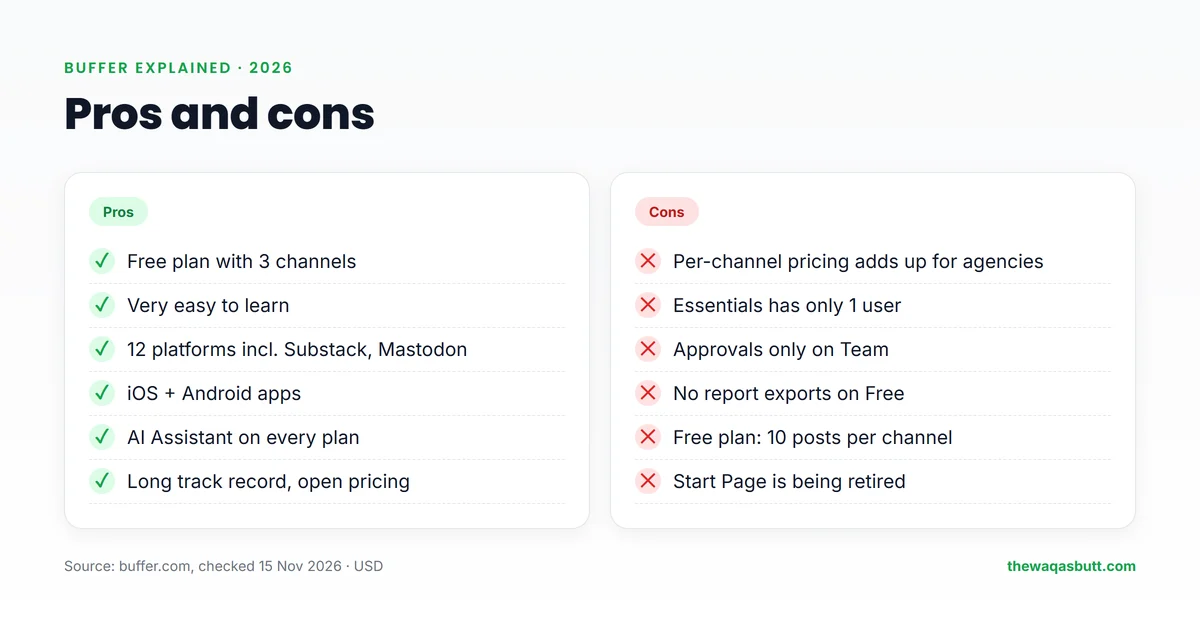
| Pros | Cons |
|---|---|
| Free plan with 3 channels | Per-channel pricing adds up quickly for agencies |
| Very easy to learn | Essentials includes only 1 user |
| 12 platforms, including Substack and Mastodon | Approvals and branded reports only on Team |
| iOS and Android apps | Free plan holds only 10 scheduled posts per channel |
| AI Assistant on every plan | No report exports on Free |
| Transparent, published pricing | Start Page is being retired |
Who Buffer is for (and who it’s not)
Buffer is a good fit if you…
- Run your own brand with 1–5 social accounts.
- Want a simple tool with mobile apps for posting on the go.
- Publish a newsletter on Substack or post to Mastodon.
- Are a nonprofit, since you get 50% off.
Look elsewhere if you…
- Manage many client accounts, because every account adds to your bill.
- Need approvals on a budget, since they start at Team ($10–$12 per channel).
- Want flat, predictable pricing for a growing agency. That’s where SkedCast fits best (below).
Buffer vs SkedCast: the better choice for agencies
If you manage social media for clients, the pricing model matters more than any single feature. Buffer charges per channel. SkedCast charges one flat price per plan, with a set number of accounts, clients and seats.
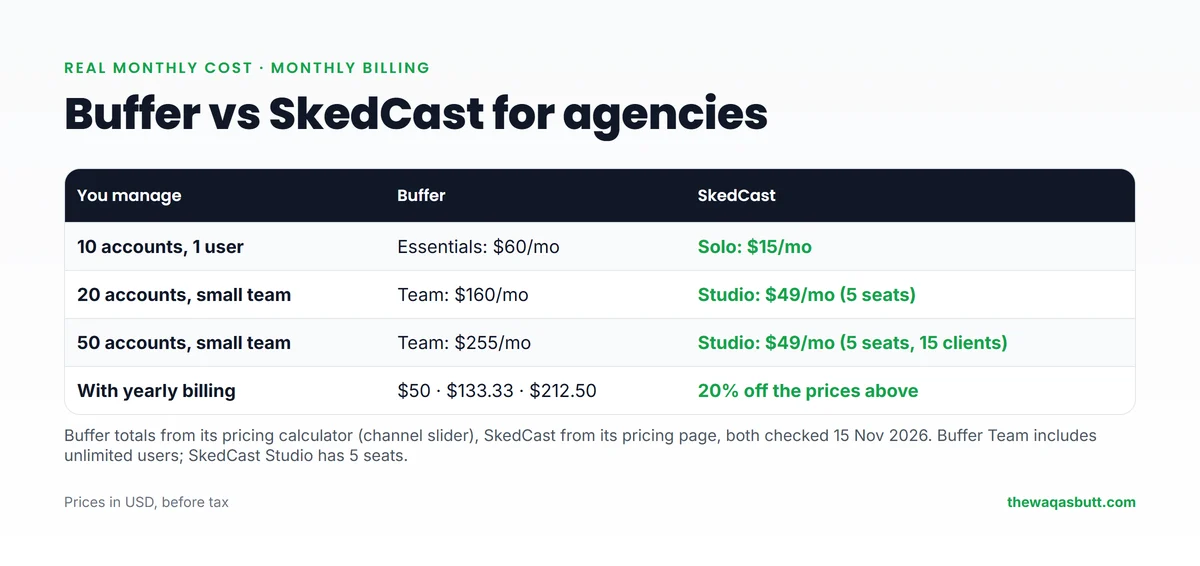
| You manage | Buffer (monthly billing) | SkedCast (monthly billing) |
|---|---|---|
| 10 accounts, 1 user | Essentials: $60/mo | Solo: $15/mo |
| 20 accounts, small team | Team: $160/mo | Studio: $49/mo (5 seats) |
| 50 accounts, small team | Team: $255/mo | Studio: $49/mo (5 seats, 15 clients) |
With 20 client accounts, that’s $160 vs $49 a month, or about $1,332 saved per year on monthly billing. Both tools also discount yearly plans: Buffer “saves 2 months”, and SkedCast saves 20%.
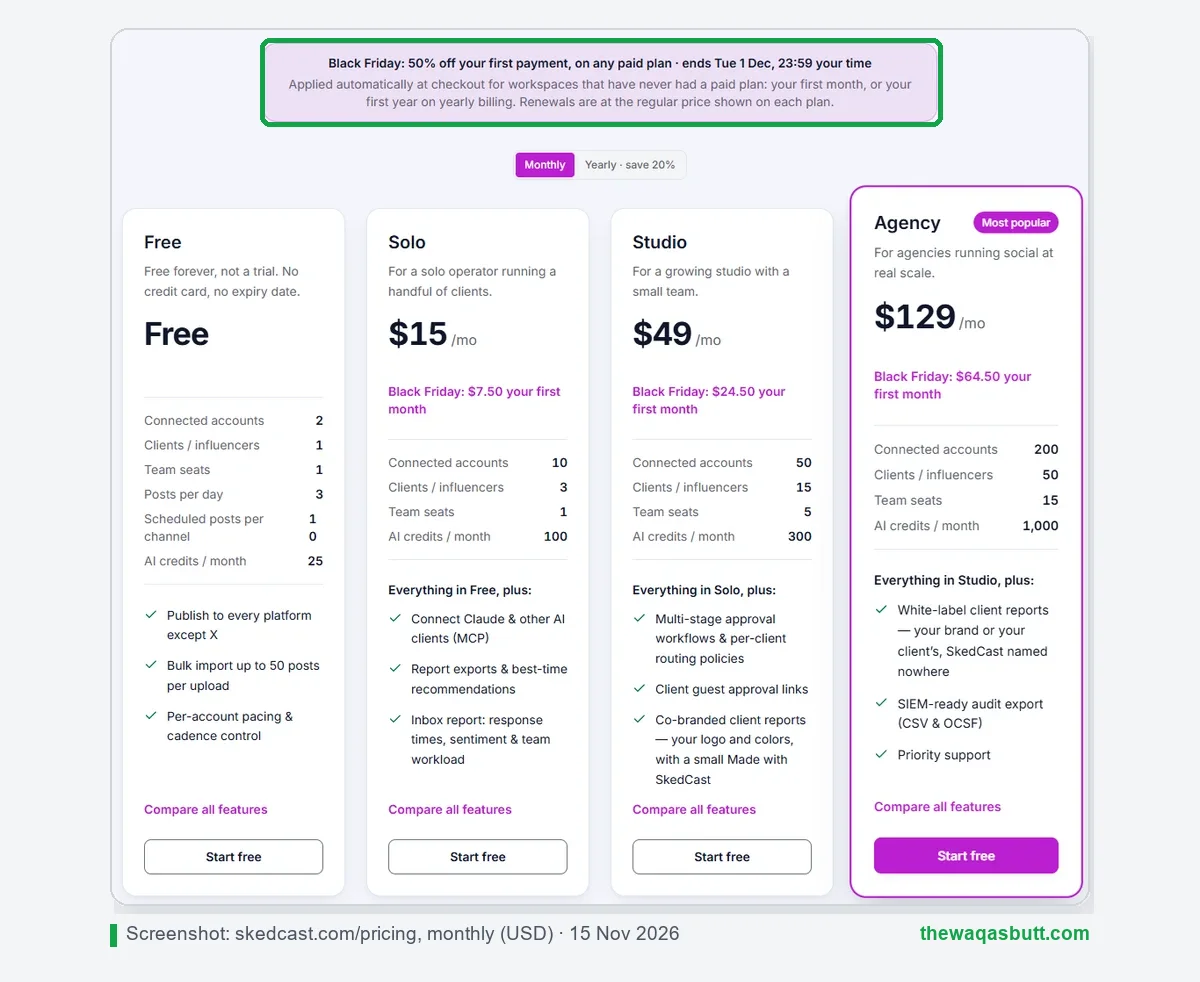
What SkedCast adds for agencies
- Compose once, post everywhere: one post fans out to every connected account on 11 platforms, including Telegram.
- Per-account pacing: each account gets its own spacing and daily limit, so big uploads don’t go out in one burst.
- Bulk import from CSV, Google Sheets or AI, and failure alerts with the platform’s own reason.
- Approvals and client guest links from Studio, and white-label reports from Agency.
- Free forever plan (2 accounts) and a 7-day Studio trial, both without a card.
Where Buffer still wins
- Mobile apps: SkedCast runs only in the browser.
- Track record: Buffer has years of users and reviews; SkedCast is new in 2026.
- Substack and Mastodon: SkedCast doesn’t publish to them.
- Unlimited users on Team: SkedCast plans have seat limits (5 on Studio).
My take: for a creator with a few channels, Buffer is a fine, simple choice. For freelancers and agencies running many client accounts, SkedCast costs a fraction of the price for the same number of accounts. Read my full SkedCast review for its features, limits and refund policy.
My SkedCast link applies 40% off your first month automatically, and you get 20% to 40% off every month after that.
What other Buffer guides get wrong
I read 10 Buffer guides that rank in the US. These are the most common problems.
- Old prices. Some still show 2022 prices or plans like “Agency” and “Pro”. Buffer’s current plans are Free, Essentials and Team, last updated in November 2025.
- Monthly vs yearly mixed up. Many quote $5 or $6 without saying which billing period it is. It’s $6 monthly and $5 yearly per channel.
- No real totals. Almost none use Buffer’s calculator, so they miss the volume discount above 10 channels.
- Outdated platforms. A few still list Google+, which closed years ago, and miss Substack.
- Start Page still recommended. Most guides don’t mention that Start Page is being retired.
- Written by competitors. Several “Buffer reviews” come from rival schedulers that end by recommending their own tool. I’ve told you openly that I earn from my SkedCast and Buffer links.
Practical tips before you start
- Prices are in US dollars. Use a card that allows international online payments, and remember tax may be added at checkout.
- Start free. Buffer’s Free plan (3 channels) or SkedCast’s Free plan (2 accounts) is enough to learn before you charge a client.
- Price your services per client. If you manage clients’ accounts, a flat-priced tool keeps your margin clear as you add clients.
- Telegram matters for some audiences. If your clients use Telegram channels, SkedCast supports them; Buffer doesn’t.
- Post on the go? If you work mostly from your phone, Buffer’s mobile apps are a real advantage.
Final thoughts
Buffer is a simple, trustworthy scheduler with a useful free plan, 12 platforms and mobile apps. For one brand or a handful of channels, it’s an easy recommendation.
Its per-channel pricing is the catch. Once you manage 10, 20 or 50 client accounts, the bill grows with every account. That’s where SkedCast, with flat plans from $15 a month, makes far more financial sense.
My SkedCast link applies 40% off your first month automatically, and you get 20% to 40% off every month after that.
Want more honest tool guides? Browse my resources page or join the newsletter.
FAQ
What is Buffer used for?
Buffer is used to plan, schedule and publish social media posts, reply to comments and check analytics for accounts on 12 platforms, including Instagram, LinkedIn, TikTok, YouTube and Substack.
Is Buffer free to use?
Yes. Buffer’s Free plan lets you connect up to 3 channels with 10 scheduled posts per channel, 1 user and 30 days of analytics. It doesn’t expire.
How much does Buffer cost in 2026?
Essentials costs $6 per channel per month on monthly billing or $5 on yearly billing. Team costs $12 per channel per month, or $10 yearly. Channels above 10 get a volume discount.
What counts as a channel in Buffer?
A channel is one social account, such as one Instagram profile or one Facebook Page. Five brands with an Instagram and a Facebook Page each count as 10 channels.
Does Buffer have a free trial?
Yes. Paid plans have a 14-day free trial. If you don’t add payment details, your account moves back to the Free plan when the trial ends.
Is Buffer good for agencies?
Buffer works for agencies, but per-channel pricing gets expensive with many client accounts. For example, 20 channels on Team cost $160 a month on monthly billing, while SkedCast’s Studio plan costs $49 a month for up to 50 accounts.
What is the best Buffer alternative for agencies?
For agencies managing many accounts, SkedCast is a strong alternative because it charges a flat price per plan instead of per channel, and adds bulk import, per-account pacing and approvals.
Is Buffer Start Page still available?
Buffer is retiring Start Page. From November 30, 2026, Start Page editing ends and it no longer counts as a paid channel.