Disclosure: This article contains affiliate links. If you buy through them, I may earn a commission at no extra cost to you. I only recommend tools I’ve researched carefully, and my opinions are my own. Read the full disclaimer.
If you manage social media for clients, you know the routine: the same post, rewritten for Instagram, LinkedIn, TikTok and X, then scheduled account by account. With ten clients, that’s an afternoon gone.
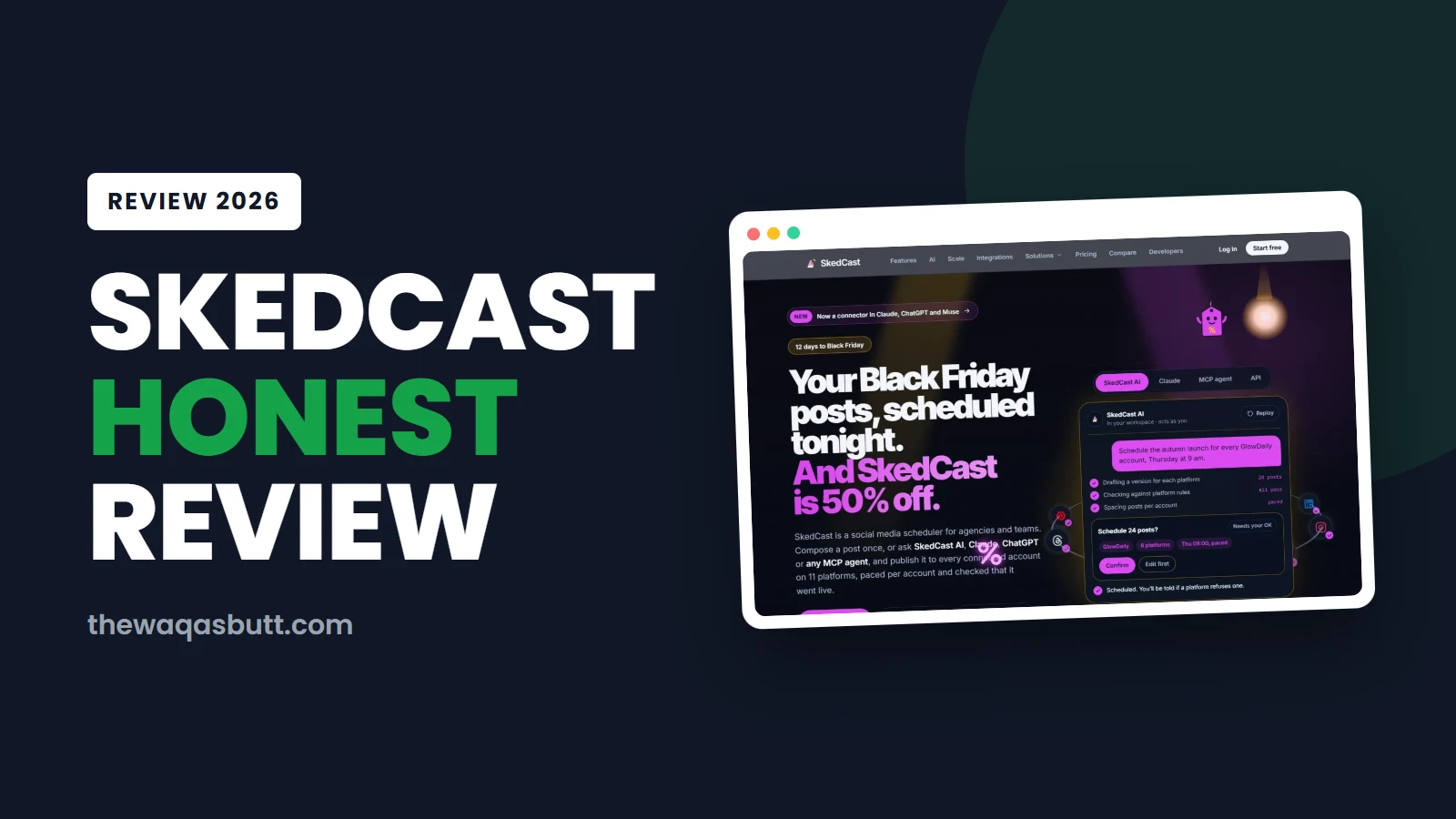
SkedCast is a new social media scheduler built for exactly this. You write a post once and it goes out to every connected account on 11 platforms, paced per account, with an alert if a platform refuses it.
In this SkedCast review, I’ll explain what it does, what each plan really costs in USD, the free plan and trial rules, the refund policy, and how it compares with Buffer, Sprout Social and Hootsuite.
I’ll also be clear about what we don’t know yet, because SkedCast is a young product.
Quick verdict
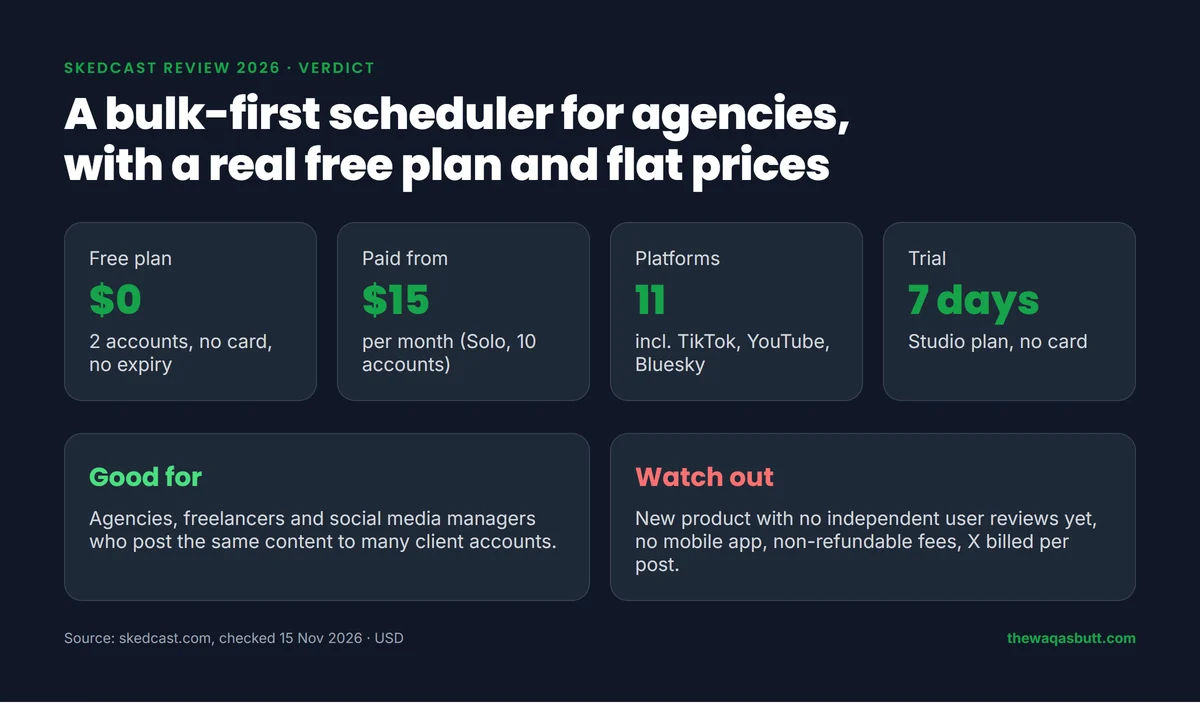
- What it is: a browser-based social media scheduler for agencies and teams, made by Alpha Exotic Tech LLC.
- Best for: agencies, freelancers and social media managers who post the same content to many client accounts.
- Not for: people who need a mobile app, a long track record, or refunds after paying.
- Free plan: 2 accounts, 3 posts a day, no credit card, no expiry date.
- Paid plans: $15, $49, $129 and $299 a month, plus custom Enterprise. Yearly billing saves 20%.
My link applies 40% off your first month automatically, and you get 20% to 40% off every month after that.
In this review
- Watch my SkedCast video
- What is SkedCast?
- How I researched this review
- Key features
- Which platforms does SkedCast support?
- SkedCast pricing in 2026
- Free plan, free trial and discounts
- Refunds and cancellation
- Is SkedCast legit and safe?
- How to get started
- Pros and cons
- Who SkedCast is for (and who it’s not)
- SkedCast vs Buffer vs Sprout Social vs Hootsuite
- What you’ll find when you search for SkedCast
- Practical tips before you start
- Final verdict
- FAQ
Watch my SkedCast video
I also made a video about SkedCast on my YouTube channel. Watch it below, or keep reading for the full written review with prices and policies.
What is SkedCast?
SkedCast is a social media scheduler for agencies and teams. Its own description is simple: “Ask once. Post everywhere.”
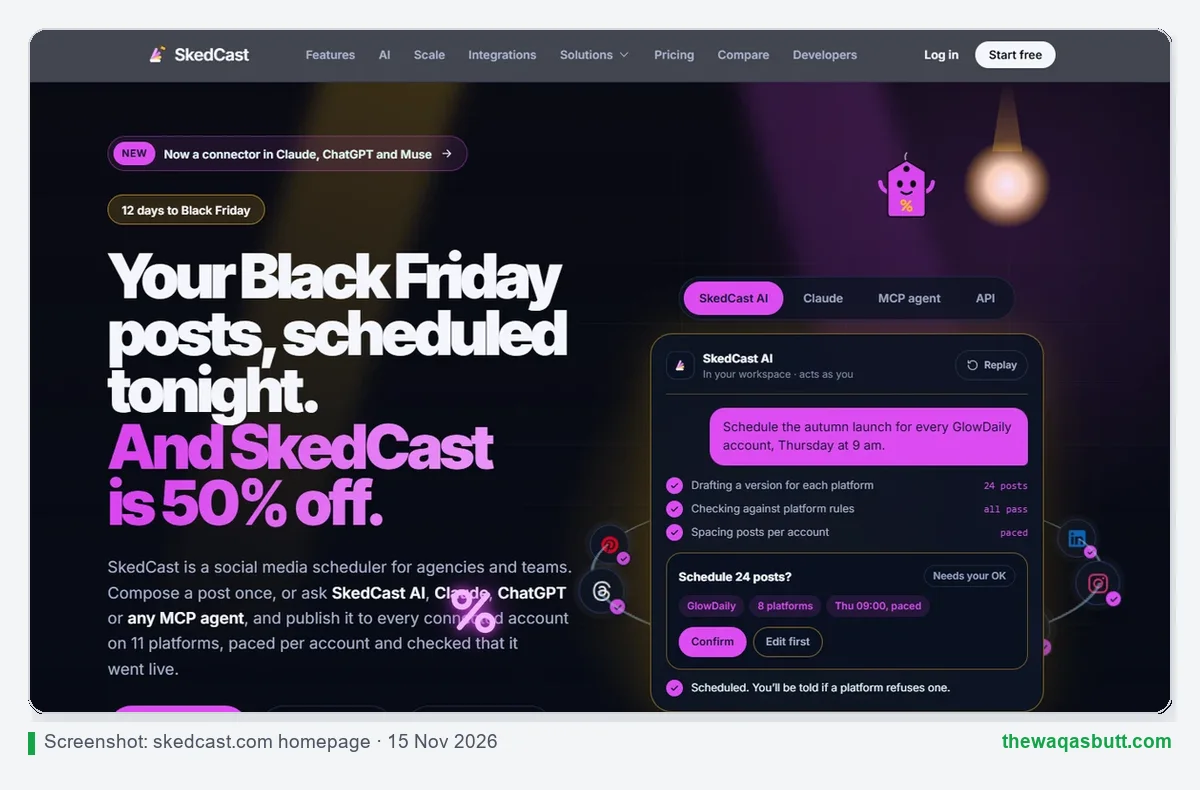
You compose a post once, or ask SkedCast AI, Claude, ChatGPT or another AI assistant to draft it. SkedCast then publishes it to every connected account, spaced out per account, and checks that each post actually went live.
Its main idea is that delivery is the product. Many schedulers stop once a post is queued. SkedCast says it checks posts against each platform’s rules first, re-checks posts that are still processing, and emails you the platform’s own reason if one is refused.
It runs entirely in your browser. There’s no desktop or mobile app to download.
How I researched this review
Here is exactly how I made this SkedCast review, so you can judge it fairly.
- Official sources: I read SkedCast’s homepage, pricing, features, platforms, FAQ, About page and refund policy, all checked on 15 November 2026.
- Exact prices: every price comes from SkedCast’s own pricing page in USD, with a dated screenshot.
- Competitors: Buffer, Sprout Social and Hootsuite prices come from their official pricing pages on the same day.
- Search results: I checked what ranks in the US for “SkedCast review”. There are almost no independent reviews yet, which I explain below.
- What this review isn’t: it’s based on research, not long-term use with client accounts, so I don’t invent delivery rates or results.
Key features
These are the features that matter most for agency work, based on SkedCast’s own pages.
Compose once, fan out to every account
You write one post and adjust a version for each network, with live previews. SkedCast then sends it to every account that should get it, from one composer and one calendar.
Per-account pacing
Every account gets its own spacing and daily ceiling, and a big upload is spread across a time window instead of going out in one burst. That matters when you post for dozens of accounts, because sudden bursts can look like spam to platforms.
Checks before posting and failure alerts
SkedCast checks caption length, media format and required fields before publishing. A post that would be rejected is held back. If a platform still refuses a post, you get an in-app alert and an email with the platform’s own reason.
Bulk scheduling
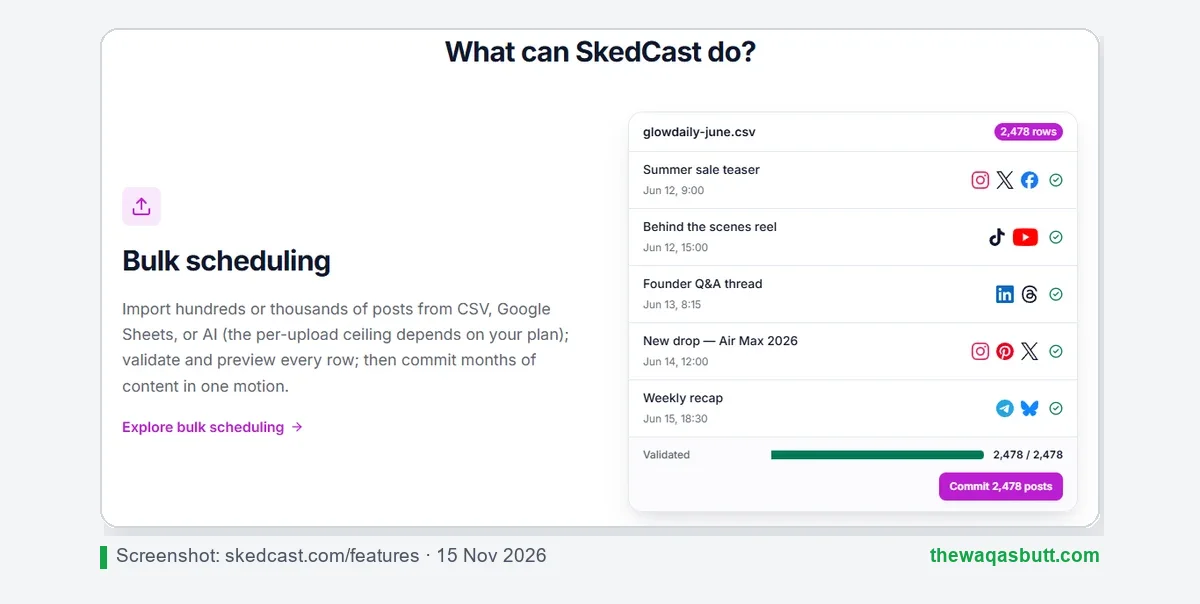
You can import posts from CSV, Google Sheets or AI, check every row, and schedule months of content at once. The Free plan allows 50 posts per upload, and SkedCast’s About page says the Agency plan takes up to 2,500 posts per upload.
AI tools and Claude/ChatGPT access
SkedCast AI can draft posts for each platform, and the AI Image Studio creates images in a client’s Brand Kit style on every plan. SkedCast is also available as a connector in Claude, ChatGPT and Muse.
Its FAQ says AI can’t change your calendar without asking: anything that schedules, moves or cancels a post shows a confirmation card first.
Approvals, client reports and white-label
Studio adds multi-stage approvals and client guest approval links. Client reports are co-branded from Studio (your logo, with a small “Made with SkedCast”), and fully white-label from the Agency plan.
Inbox, RSS and link in bio
There’s a shared inbox for comments, messages, mentions and Google reviews, RSS auto-posting (from Studio), evergreen recycling (from Solo), and a hosted link-in-bio page for each client. Developers get a REST API and webhooks from the Studio plan.
Which platforms does SkedCast support?
SkedCast publishes to 11 networks through each platform’s official API, never by sharing your password.
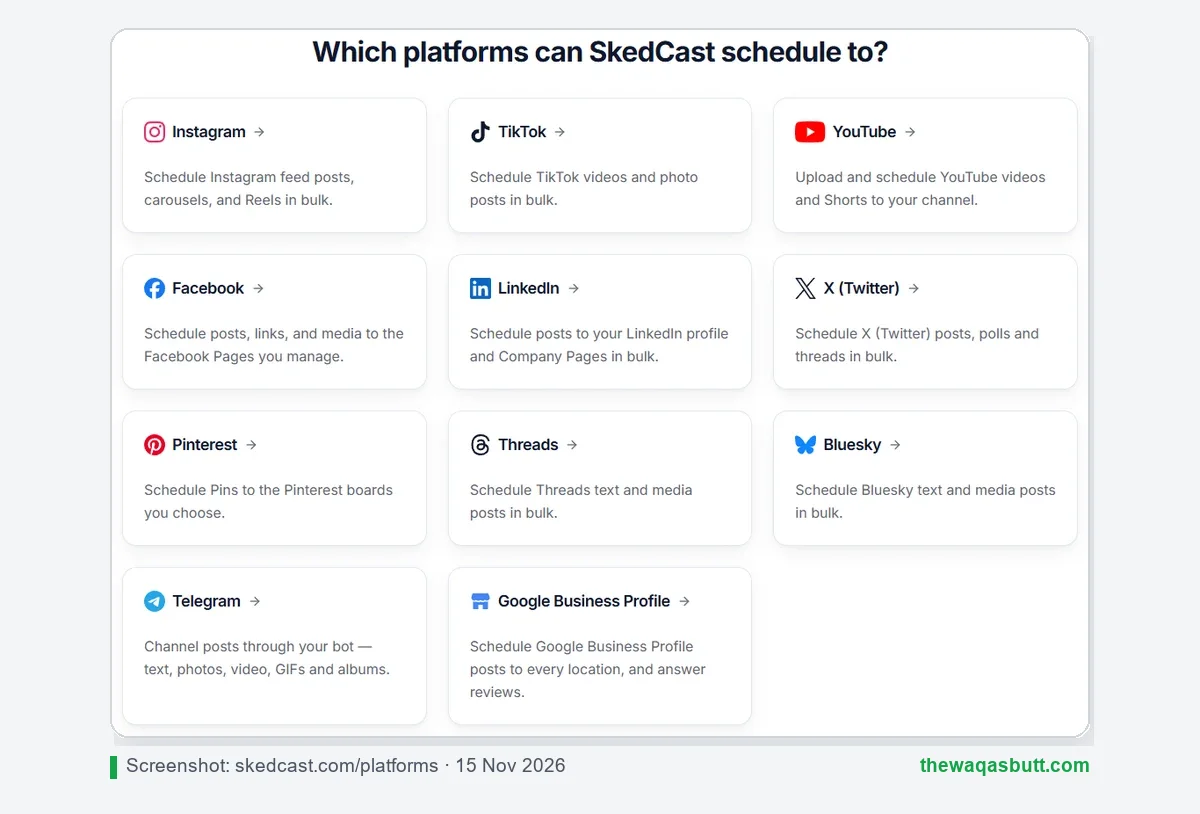
- Instagram: feed posts, carousels and Reels (business or creator account needed).
- TikTok: videos and photo posts.
- YouTube: videos and Shorts.
- Facebook Pages, LinkedIn (profile and Company Pages), X, Pinterest (business account) and Threads.
- Bluesky (connects with an app password) and Telegram (channel posts through a bot).
- Google Business Profile: posts to every location, plus review replies.
Two things to note. X isn’t available on the Free plan, and on paid plans X posts carry a separate per-post API fee from X, which SkedCast passes on with a cost estimate and spend controls. And there’s no Snapchat or WhatsApp.
SkedCast pricing in 2026
SkedCast uses flat prices per plan, not per user or per channel. You choose a plan by how many accounts, clients and team seats you need.
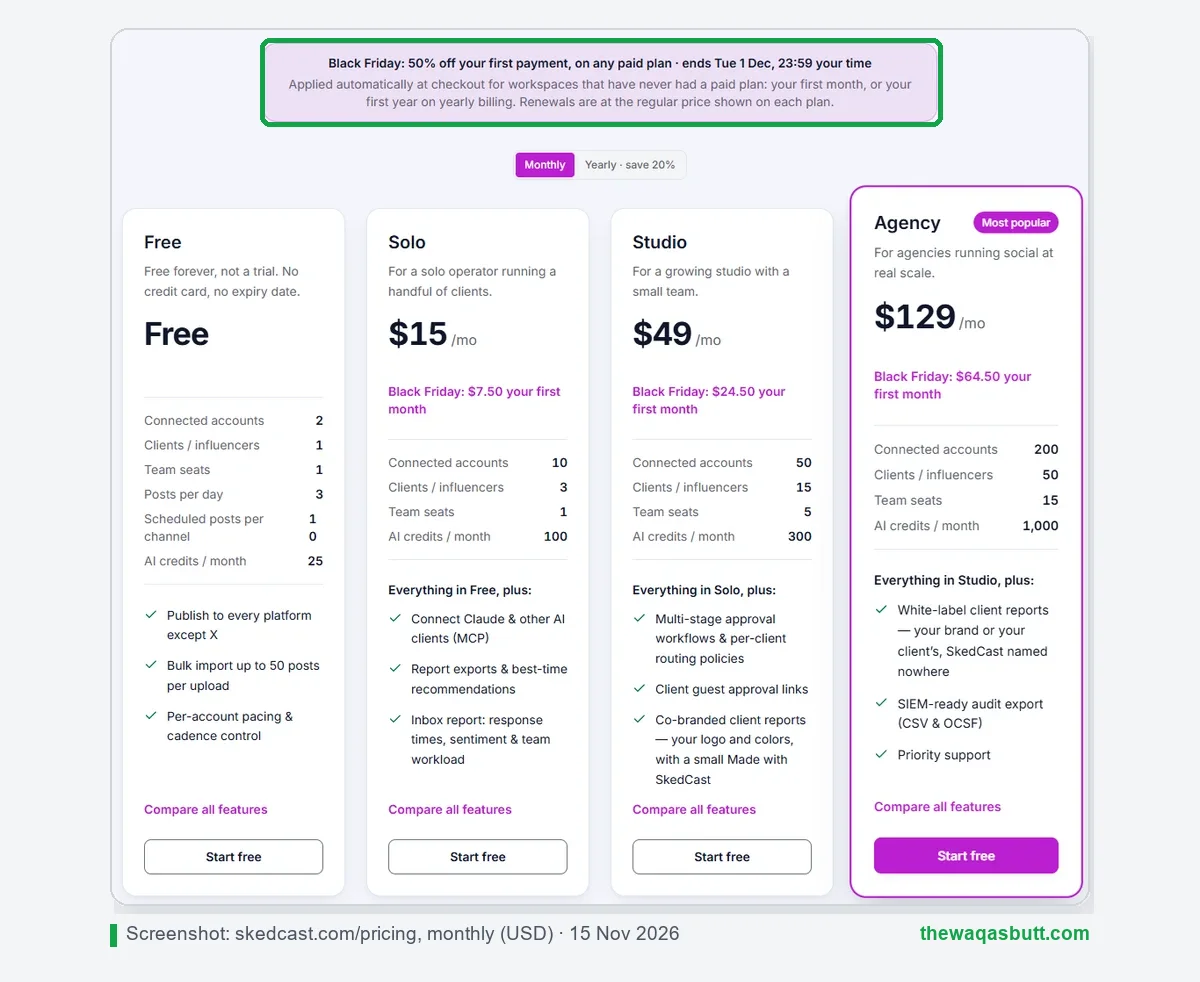
| Plan | Price | Accounts | Clients | Seats | Best for |
|---|---|---|---|---|---|
| Free | $0 | 2 | 1 | 1 | Testing, 3 posts a day |
| Solo | $15/mo | 10 | 3 | 1 | Freelancers with a few clients |
| Studio | $49/mo | 50 | 15 | 5 | Small teams that need approvals |
| Agency | $129/mo | 200 | 50 | 15 | Agencies needing white-label reports |
| Agency+ | $299/mo | 500 | More than Agency | More than Agency | Large agencies, dedicated onboarding |
| Enterprise | Custom | 500+ | Custom | Custom | Networks beyond 500 accounts |
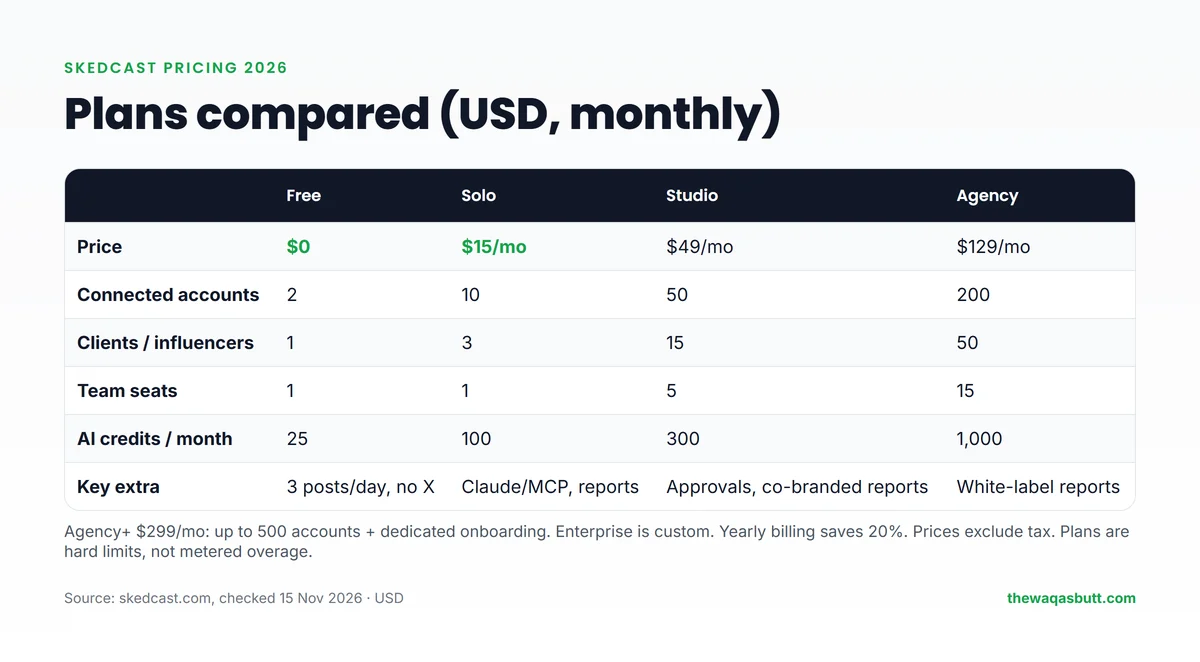
Plans are hard limits. When you reach your account ceiling, SkedCast asks you to upgrade instead of charging overage fees. Prices exclude tax, which is added at checkout where it applies.
For comparison, a five-person team on Studio pays $49 a month in total. On per-seat tools, five users usually cost several hundred dollars a month (see the comparison below).
Free plan, free trial and discounts
Is SkedCast free?
Yes. SkedCast has a Free plan that never expires: 2 connected accounts, 1 client, 1 seat, 3 posts a day, 10 scheduled posts per channel and 25 AI credits a month. No credit card is needed.
Is there a free trial?
Yes. Each workspace can start one 7-day Studio trial from the console, also without a card. SkedCast’s FAQ says that if you do nothing, the workspace returns to Free when the trial ends and you’re never charged.
Discount through my link
My link applies 40% off your first month automatically, and you get 20% to 40% off every month after that. There’s no code to type: the discount is applied when you sign up through the link.
SkedCast is also running its own Black Friday offer: 50% off your first payment on any paid plan, for workspaces that have never had a paid plan, until 1 December 2026 at 23:59 your time. Checkout shows your final price, so check it there before you pay.
Refunds and cancellation
This is the part to read before paying. SkedCast’s refund policy says subscription fees are non-refundable.
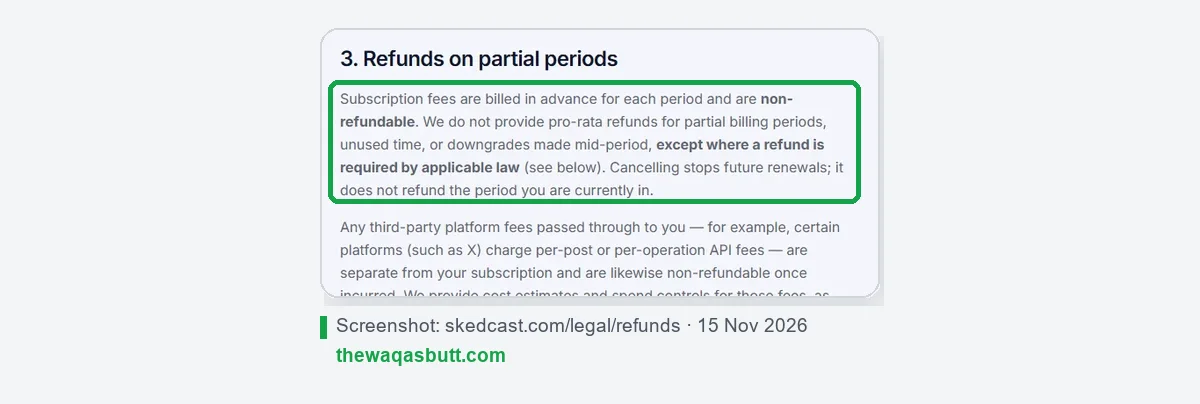
- Cancel anytime yourself from Settings → Billing. Access continues until the end of the period you paid for.
- No partial refunds for unused time or mid-period downgrades.
- X per-post fees are also non-refundable once used.
- EU and UK consumers have a 14-day right of withdrawal, but SkedCast says it’s a business tool, so most customers contract as businesses.
My advice: use the Free plan and the 7-day Studio trial first, then start with monthly billing, not a yearly plan.
Is SkedCast legit and safe?
SkedCast publishes its company details openly, which is a good sign for a new tool.
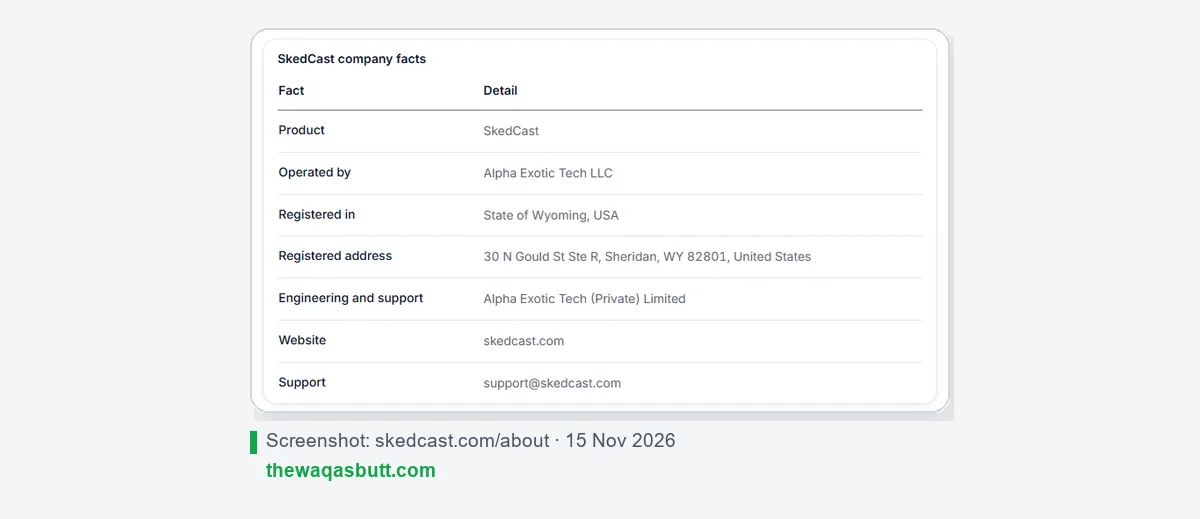
- Company: Alpha Exotic Tech LLC, registered in the State of Wyoming, USA, with engineering and support from Alpha Exotic Tech (Private) Limited.
- Account safety: SkedCast connects through each platform’s official API and sign-in, never by sharing your password.
- Legal pages: terms, privacy policy, refund policy and a data processing agreement are linked in the site footer.
The honest caveat: SkedCast is new. Its About page says it is “onboarding our first agencies now”. There are no customer case studies or independent user reviews yet, so you can’t compare it with years of user feedback the way you can with Buffer or Hootsuite.
How to get started
- Sign up through my SkedCast link. You start on the Free plan with no card.
- Connect your accounts. Most platforms use their own sign-in; Bluesky needs an app password and Telegram a bot token.
- Write or import your first posts in the composer, or bulk-import them from a CSV or Google Sheet.
- Set pacing for each account and schedule on the calendar.
- Start the 7-day Studio trial if you want to test approvals and client links with your team.
- Upgrade only when the trial shows it fits, starting with monthly billing.
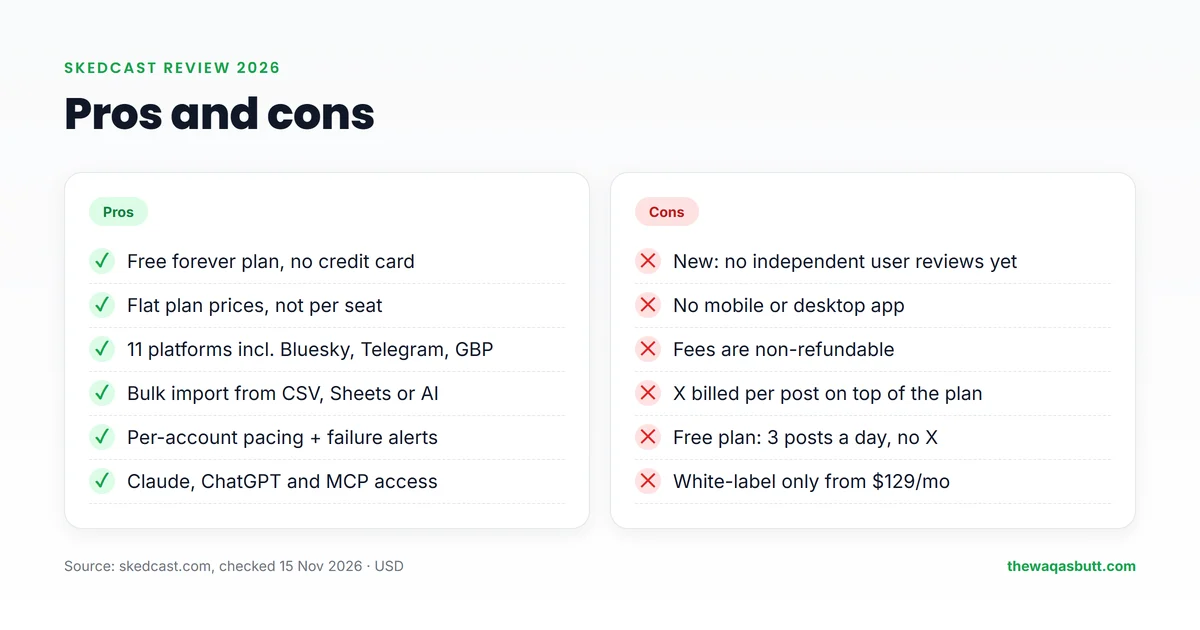
Pros and cons
| Pros | Cons |
|---|---|
| Free forever plan, no credit card | New product with no independent user reviews yet |
| Flat plan prices instead of per-seat pricing | No mobile or desktop app |
| 11 platforms, including Bluesky, Telegram and Google Business Profile | Subscription fees are non-refundable |
| Bulk import from CSV, Google Sheets or AI | X costs extra per post and isn’t on the Free plan |
| Per-account pacing, pre-checks and failure alerts | Free plan is limited to 3 posts a day |
| Works with Claude, ChatGPT and other AI assistants | White-label reports only from $129 a month |
Who SkedCast is for (and who it’s not)
SkedCast is a good fit if you…
- Run social media for several clients and post similar content to many accounts.
- Work in a small team that needs approvals without paying per seat.
- Plan content in spreadsheets and want to import it in bulk.
- Build websites for local businesses and want to add social media management as a service (see my free AI website guide).
Look elsewhere if you…
- Manage one or two personal accounts. The free tools built into each platform may be enough.
- Need to post from your phone. SkedCast has no mobile app.
- Want a tool with years of reviews and case studies before you commit.
- Post mainly to X on a tight budget, because X posts cost extra.
SkedCast vs Buffer vs Sprout Social vs Hootsuite
These are the tools agencies compare most. The biggest difference is how you pay.
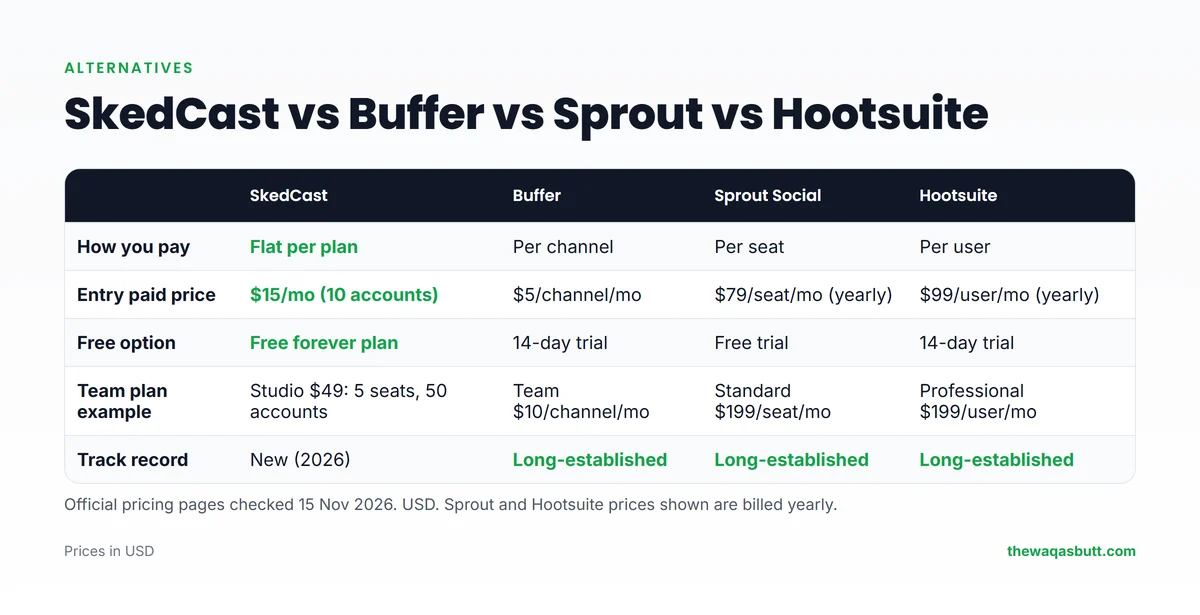
| SkedCast | Buffer | Sprout Social | Hootsuite | |
|---|---|---|---|---|
| Pricing model | Flat per plan | Per channel | Per seat | Per user |
| Entry paid plan | $15/mo (10 accounts) | $5/channel/mo (Essentials) | $79/seat/mo, billed yearly | $99/user/mo, billed yearly |
| Team plan example | Studio $49/mo: 5 seats, 50 accounts | Team $10/channel/mo | Standard $199/seat/mo | Professional $199/user/mo |
| Free option | Free forever plan | 14-day trial | Free trial | 14-day trial |
| Track record | New in 2026 | Long-established | Long-established | Long-established |
- Choose SkedCast if you manage many accounts with a small team and want the lowest flat price.
- Choose Buffer if you have only a few channels and want a simple, proven tool.
- Choose Sprout Social or Hootsuite if your company needs a long track record and deep enterprise features, and can pay per seat.
What you’ll find when you search for SkedCast
I checked what ranks in the US for “SkedCast review” and “SkedCast pricing”. Here’s what to watch out for.
- Almost no independent reviews yet. SkedCast is new, so there are mainly software directory listings, not hands-on reviews.
- Name mix-ups. Several results are about Sked Social, a different scheduler, or about unrelated shift-scheduling tools with similar names. SkedCast’s own About page has a section explaining it isn’t Sked Social.
- Inconsistent directory descriptions. At least one directory listing describes SkedCast as a broadcasting tool for shift workers, which doesn’t match the product on skedcast.com.
So check details on skedcast.com itself, and use the dated facts in this review as a starting point.
Practical tips before you start
- Prices are in US dollars and exclude tax. Use a card that allows international online payments.
- Start on the Free plan. Two accounts and three posts a day are enough to learn the tool before charging a client.
- Bill clients in USD if you work with clients abroad; the flat plan price is easy to build into a monthly retainer.
- Google Business Profile and Telegram support are useful for local businesses and communities you may already manage.
- Use a laptop. There’s no mobile app, so plan scheduling sessions at your computer.
Final verdict
SkedCast is a promising, well-priced scheduler for agencies. Flat plans, a real free plan, bulk import and per-account pacing make it cheaper than per-seat tools for small teams running many accounts.
The trade-offs are that it’s new, has no mobile app and doesn’t refund fees. Test it on the Free plan and the 7-day Studio trial with real client accounts before you pay.
My link applies 40% off your first month automatically, and you get 20% to 40% off every month after that.
Want more honest tool reviews? Browse my resources page or join the newsletter.
FAQ
Is SkedCast free?
Yes. SkedCast has a Free plan with no expiry date and no credit card: 2 connected accounts, 1 client, 1 seat and 3 posts a day. X is not available on the Free plan.
How much does SkedCast cost?
Paid plans are $15 (Solo), $49 (Studio), $129 (Agency) and $299 (Agency+) a month, plus custom Enterprise pricing. Yearly billing saves 20%. Prices are in USD and exclude tax.
Does SkedCast have a free trial?
Yes. Each workspace can start one 7-day Studio trial from the console without a credit card. If you don’t add a card, it returns to the Free plan when the trial ends.
Is there a SkedCast discount?
Through my link, 40% off your first month is applied automatically, and you get 20% to 40% off every month after that. SkedCast’s own Black Friday offer gives 50% off the first payment until 1 December 2026. Checkout shows your final price.
Can I get a refund from SkedCast?
SkedCast’s refund policy says subscription fees are non-refundable, except where the law requires a refund. You can cancel anytime and keep access until the end of the period you paid for.
Which platforms does SkedCast support?
Eleven: X (Twitter), LinkedIn, Instagram, Facebook Pages, TikTok, YouTube, Threads, Pinterest, Bluesky, Telegram and Google Business Profile.
Does SkedCast have a mobile app?
No. SkedCast runs entirely in your web browser, with nothing to download or install.
Is SkedCast the same as Sked Social?
No. SkedCast is made by Alpha Exotic Tech LLC and is a different product from Sked Social, even though the names are similar.