Disclosure: This article contains affiliate links. If you buy through them, I may earn a commission at no extra cost to you. I only recommend tools I’ve researched carefully, and my opinions are my own. Read the full disclaimer.
Running several Facebook, TikTok or seller accounts from one browser is risky. Platforms can see the same cookies, device and IP address, and link the accounts together.
GoLogin is one of the most popular low-cost tools for this. It gives each account its own browser profile, and in 2026 it also added Android cloud phones to paid plans.
It is also a tool with a lot of confusing information online. Most reviews still quote prices from an older plan structure, and almost none mention the new cloud phones.
In this GoLogin review, I’ll show what it does today, what each plan really costs, the refund rules that catch people out, and who should pick something else.
Quick verdict
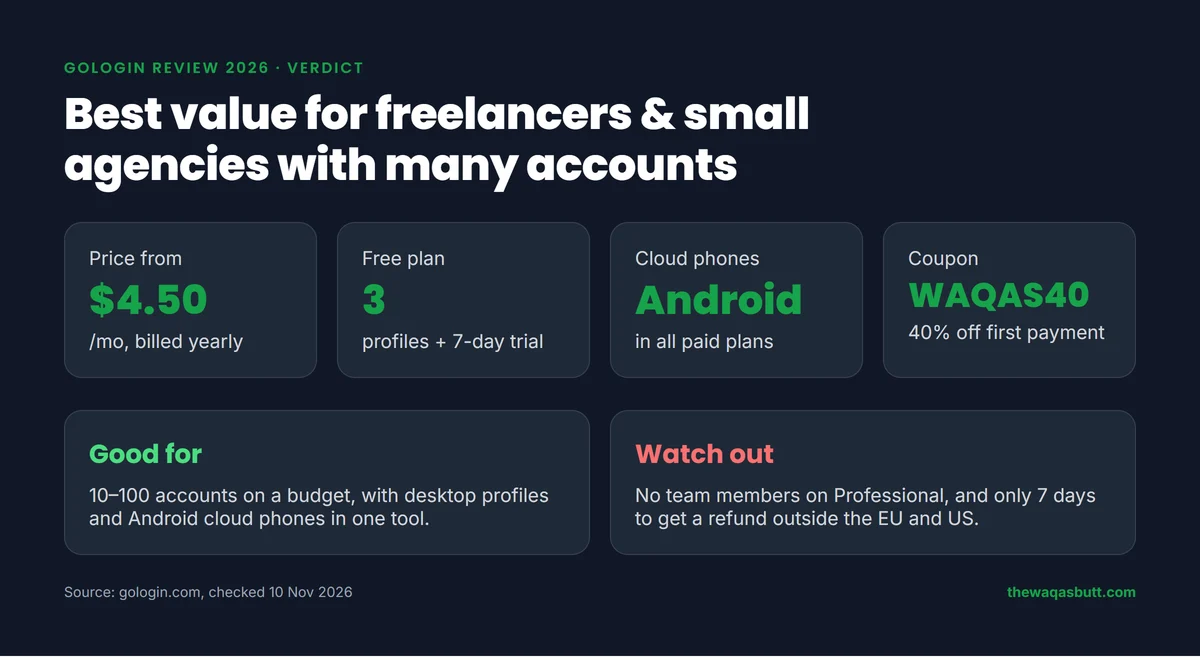
- What it is: an antidetect browser with isolated profiles, a cloud browser and Android cloud phones.
- Best for: freelancers, small agencies and sellers who need many profiles on a small budget.
- Not for: big teams that need many seats on a cheap plan, or people who only run one or two accounts.
- Price: from $4.50/month billed yearly, or $9/month billed monthly (Professional, 10 profiles).
- Free plan: yes, Forever Free with 3 profiles, plus a 7-day trial with no card needed.
Use code WAQAS40 for 40% off your first payment.
In this review
- What is GoLogin?
- How I researched this review
- Key features
- GoLogin pricing in 2026
- How to get started
- Pros and cons
- Who GoLogin is for (and who it’s not)
- GoLogin vs Multilogin vs AdsPower
- What other GoLogin reviews get wrong
- Final verdict
- FAQ
What is GoLogin?
GoLogin is an antidetect browser for managing many online accounts. Each account runs in its own browser profile, with separate cookies, storage, fingerprint and location.
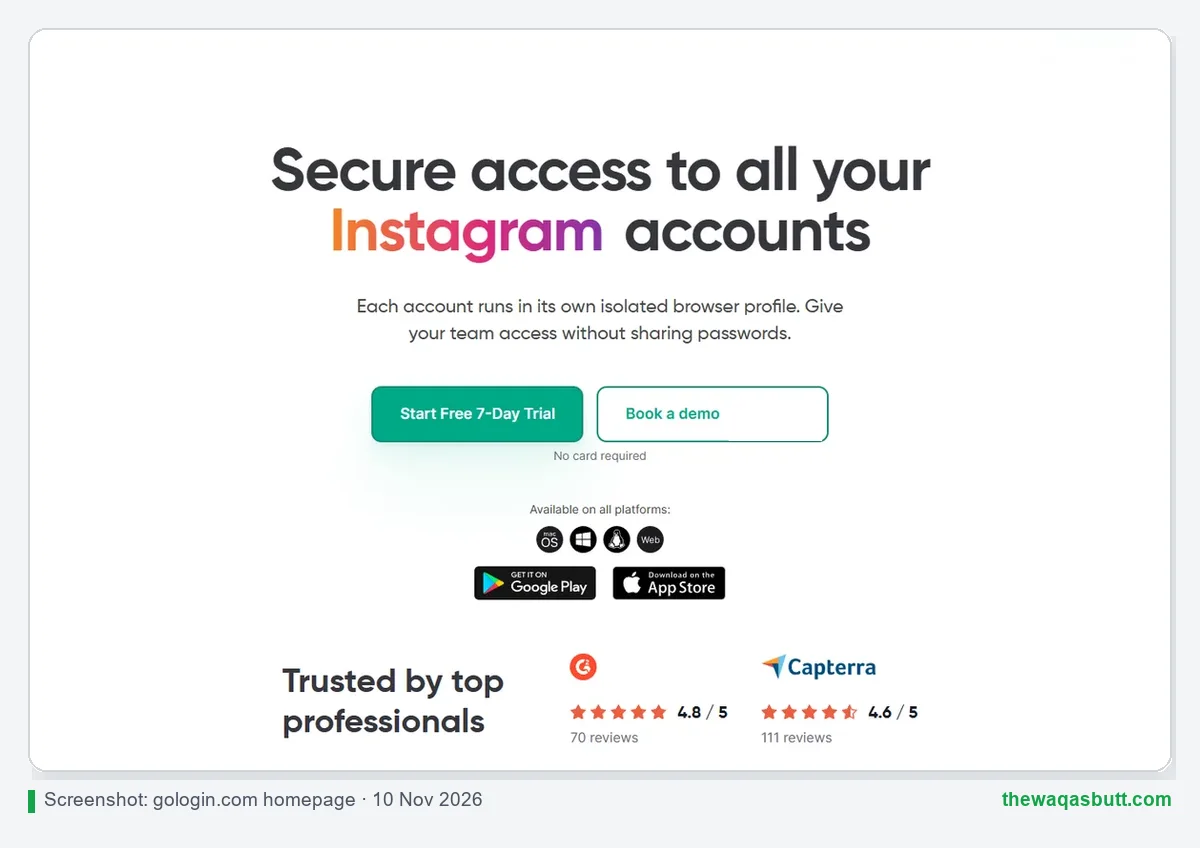
To a website, each profile looks like a different computer. You can switch between accounts in one click instead of logging in and out.
GoLogin says it was founded in 2019. Its browser, called Orbita, runs on a Chromium core, and the company says it sets 53 fingerprint parameters automatically for every profile.
It runs on Windows, macOS (Intel and Apple chips), Linux and in a web app. There are also mobile apps: an Android app is listed in every paid plan, and the homepage links to the App Store.
How I researched this review
Here is exactly how this review was made, so you can judge it fairly.
- Official sources: I read GoLogin’s pricing page, FAQ, Terms of Service, Cloud Android and Cloud Browser pages, all checked on 10 November 2026.
- Exact prices: I read the USD price for every profile option (10 to 2,000 profiles) from the price data on GoLogin’s pricing page.
- Competitor reviews: I compared the top-ranking independent GoLogin reviews in the US to see where their numbers disagree.
- What I didn’t do: I haven’t bought a paid plan for this review, so there are no invented speed tests or ban-rate claims here.
Prices and plan limits change often, so always check the final price at checkout.
Key features
These are the features that matter most, based on GoLogin’s own pages.
Isolated browser profiles
Profiles are the core of GoLogin. Each one keeps its own cookies, fingerprint, proxy and saved logins, so accounts stay separate.
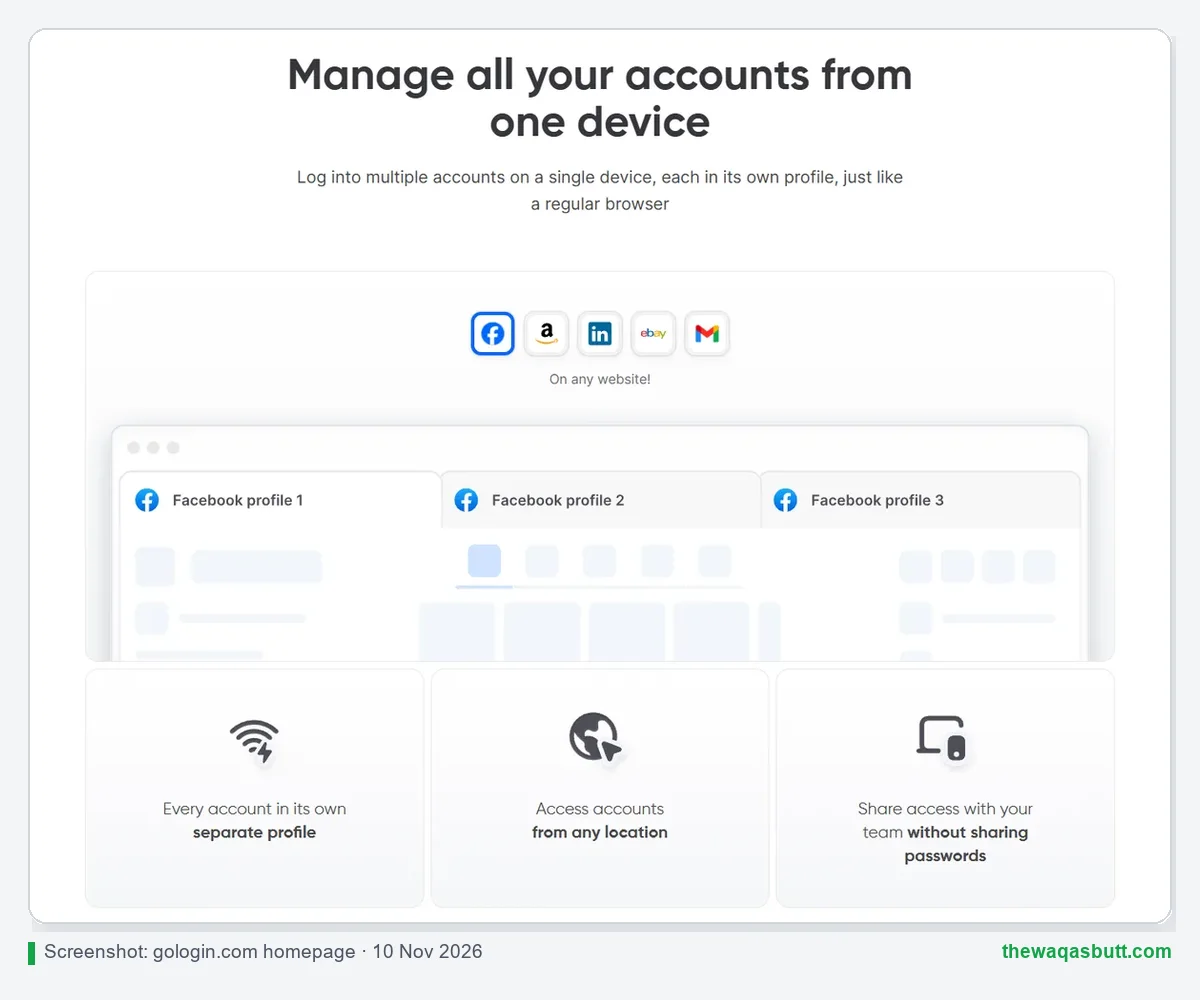
- Create, rename, edit or delete many profiles at once with bulk actions.
- Each profile gets its own fingerprint from GoLogin’s fingerprint database.
- Profiles are stored in the cloud, so you can open them on another computer.
Cloud Android phones
This is the newest feature, and most reviews miss it. GoLogin’s Cloud Android page says cloud phones are included with all paid plans.
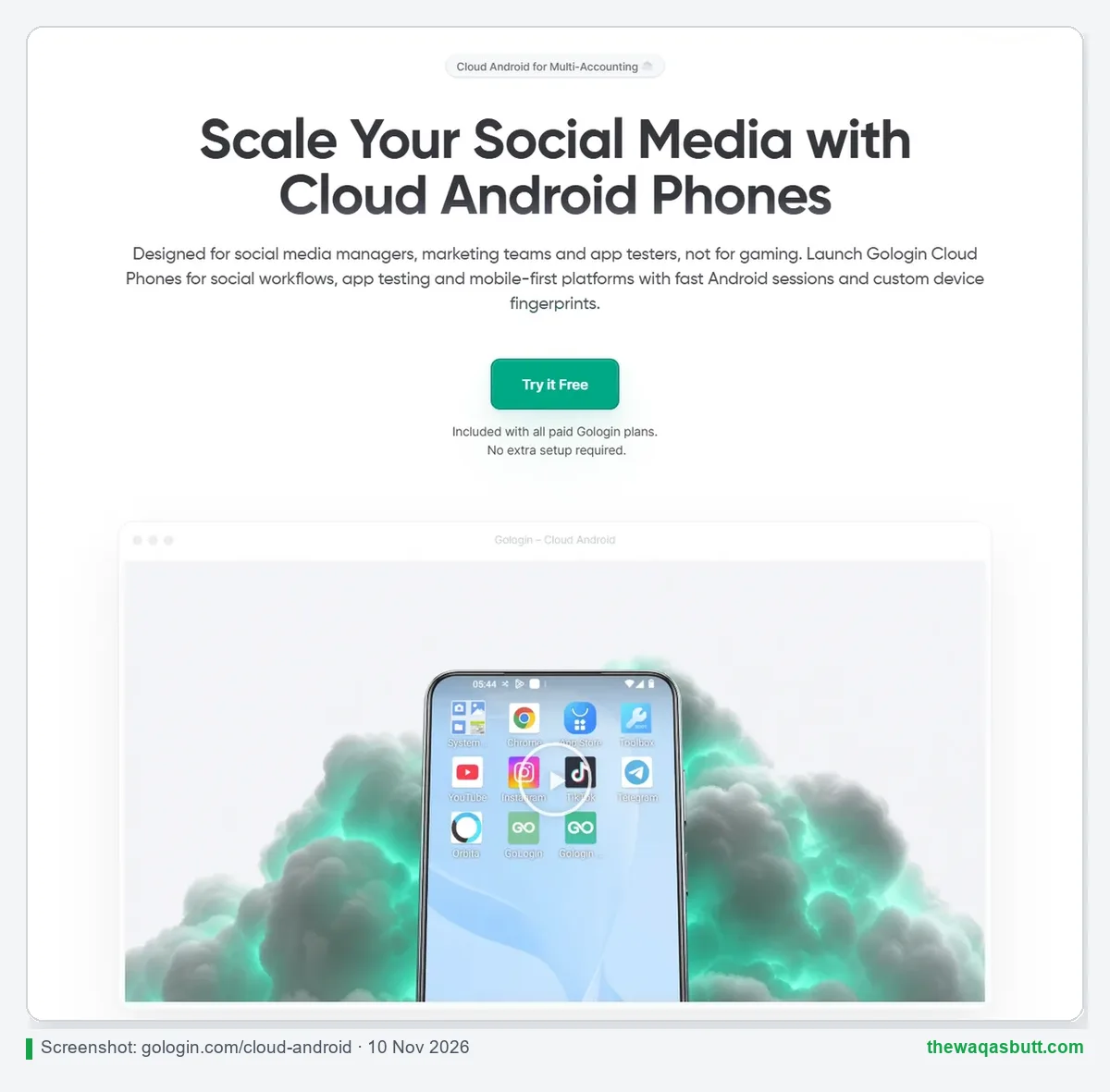
- Each mobile profile gets its own Android device fingerprint and its own proxy.
- You can install apps from Google Play or upload an APK.
- Sessions can be saved and continued later.
GoLogin doesn’t publish per-plan limits or minutes for cloud phones on that page, so check them in your dashboard before you scale up.
Cloud browser and automation
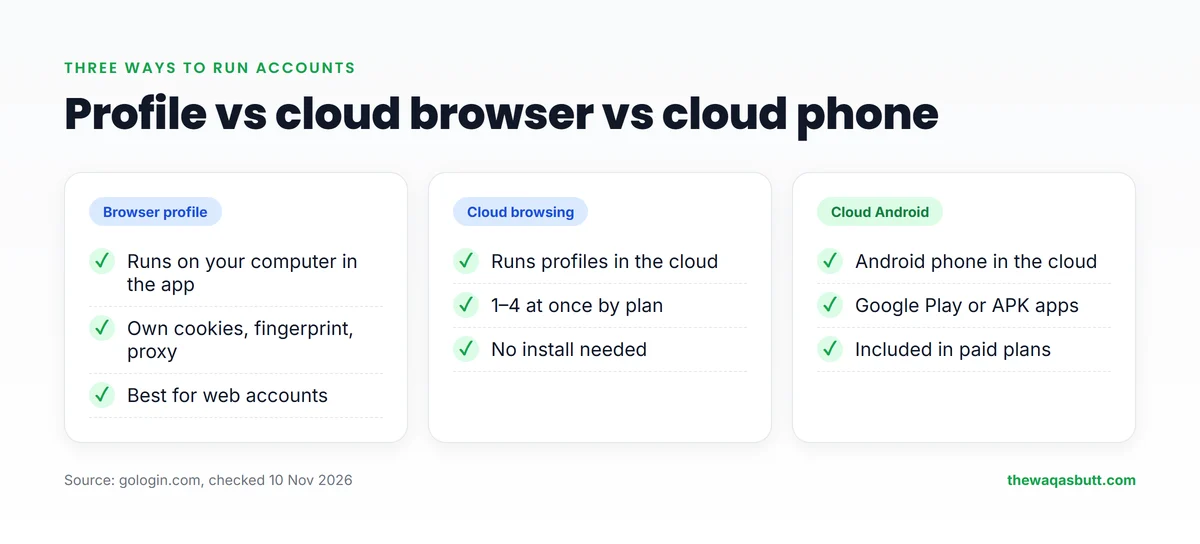
GoLogin also runs profiles in the cloud. Every paid plan includes cloud browsing, and the number of profiles you can run in the cloud at the same time goes from 1 to 4 by plan.
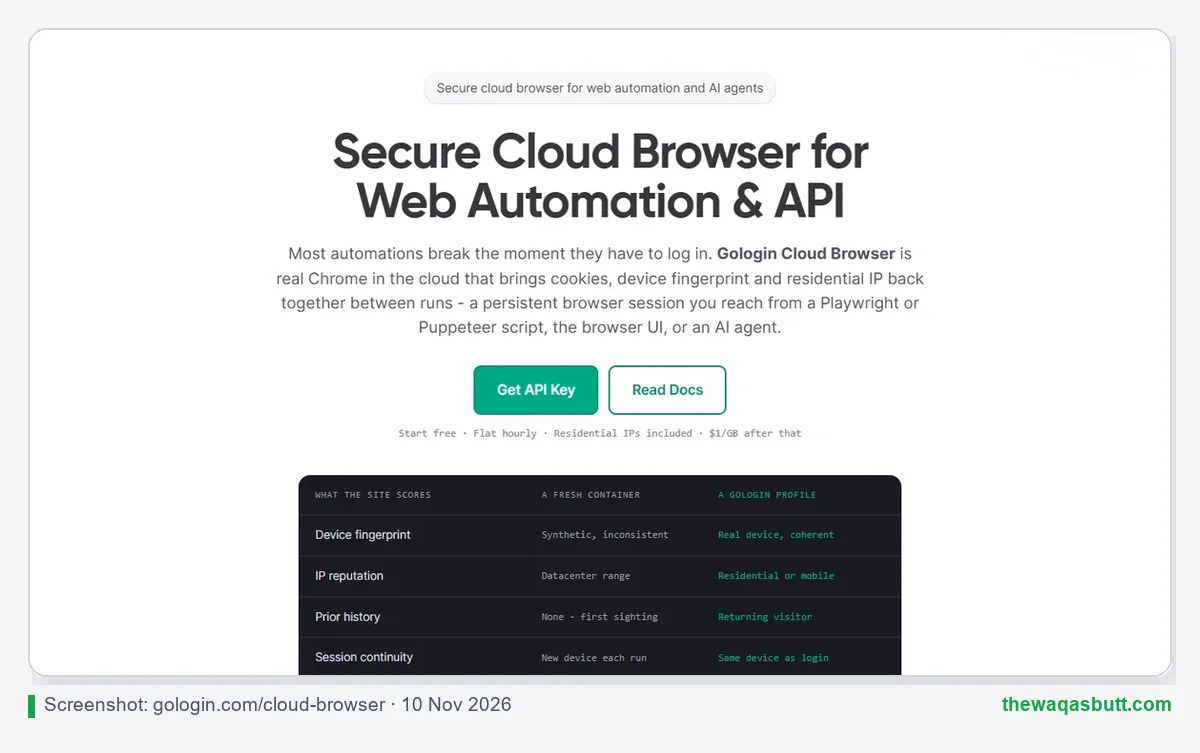
For developers, there is a REST API with limits from 300 to 1,200 requests per minute. GoLogin names Selenium and Puppeteer on its homepage, and Playwright and Puppeteer for its cloud browser.
The separate Cloud Browser product is billed on its own, with a flat hourly rate according to its page.
Built-in proxies
You can use GoLogin’s built-in proxies to set an account’s location in 100+ countries, or add your own proxy in one click.
The pricing page adds 2 GB of residential proxy traffic to each paid plan by default, and you can raise that amount at checkout.
Team sharing
You can share profiles with teammates and give them view, edit or manage rights. Profile shares go from 10 on Professional to 2,000 on Custom.
Full team members are different: Professional includes none, and Business, Enterprise and Custom include one. Extra members can be added on the pricing page for $10 a month each.
GoLogin pricing in 2026
GoLogin now lets you choose the number of profiles inside each plan. Here are the current prices in USD.
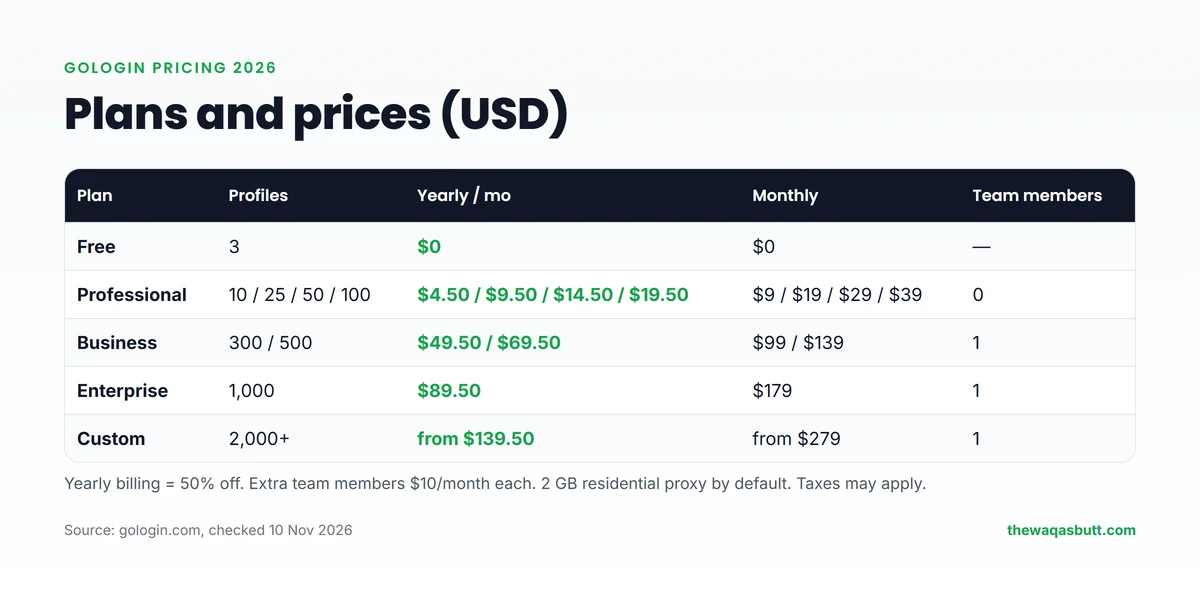
| Plan (profiles) | Monthly | Yearly (per month) |
|---|---|---|
| Free (3) | $0 | — |
| Professional (10) | $9 | $4.50 |
| Professional (25) | $19 | $9.50 |
| Professional (50) | $29 | $14.50 |
| Professional (100) | $39 | $19.50 |
| Business (300) | $99 | $49.50 |
| Business (500) | $139 | $69.50 |
| Enterprise (1,000) | $179 | $89.50 |
| Custom (2,000+) | from $279 | from $139.50 |
Yearly billing is 50% cheaper than monthly. GoLogin’s FAQ says this is its only standard discount, though it sometimes runs seasonal promo codes.
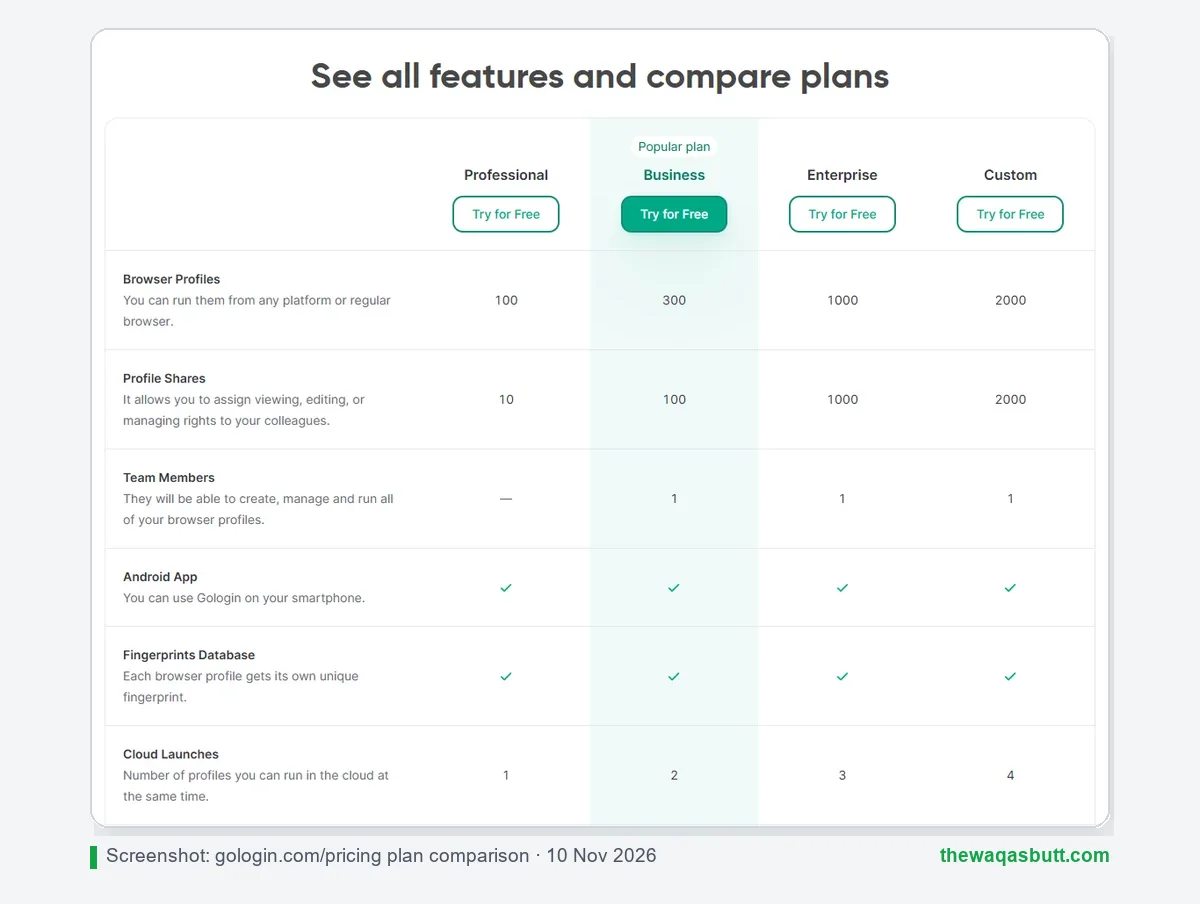
| Professional | Business | Enterprise | Custom | |
|---|---|---|---|---|
| Browser profiles | 10–100 | 300–500 | 1,000 | 2,000+ |
| Profile shares | 10 | 100 | 1,000 | 2,000 |
| Team members included | 0 | 1 | 1 | 1 |
| Cloud launches at once | 1 | 2 | 3 | 4 |
| REST API (requests/min) | 300 | 500 | 800 | 1,200 |
| Residential proxy (default) | 2 GB | 2 GB | 2 GB | 2 GB |
Is there a free plan?
Yes. The Forever Free plan includes 3 profiles and the core features, but no profile sharing or team members.
New accounts also get a 7-day trial of paid features. It starts automatically when you sign up in the app, and the homepage says no card is required. When it ends, you subscribe or drop to the free plan.
Can you get a refund?
This is where you need to be careful. GoLogin’s FAQ mentions a 14-day money-back guarantee, but its Terms of Service set the real rules.
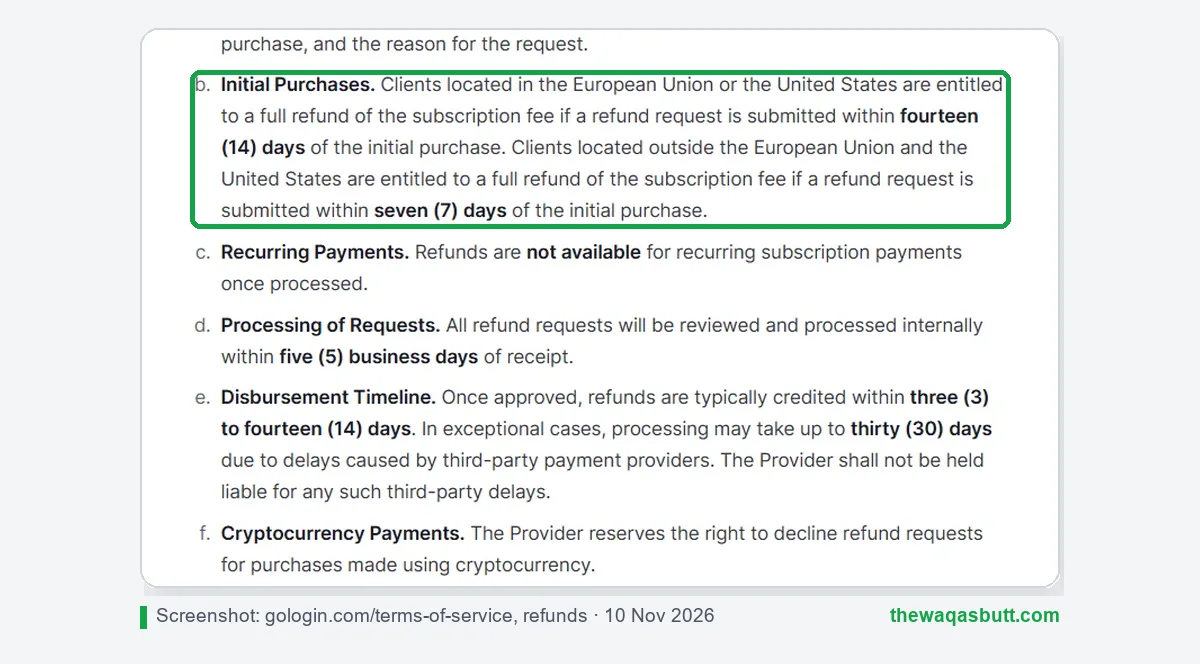
- Clients in the EU or US can get a full refund within 14 days of the first purchase.
- Clients outside the EU and US get 7 days. The pricing cards also say “7 days free returns”.
- Refunds are not available for renewal payments once they are processed.
- GoLogin may decline refunds for purchases paid with crypto.
So if you’re outside the EU and US, test on the free plan or trial first. Then pay by card, not crypto, and decide within 7 days.
Paying for GoLogin from outside the EU and US
A few practical points if you are buying from a country outside the EU and US.
- The cheapest paid option is $4.50/month billed yearly for 10 profiles, or $9 month to month.
- Yearly billing saves half. For 100 profiles that is $19.50/month instead of $39.
- Make sure your bank card allows international online payments before you check out.
- Your bank may add its own foreign-transaction fee, and taxes may apply on top of the plan price.
Because the refund window is only 7 days outside the EU and US, use the trial properly before you buy a yearly plan.
How to use the WAQAS40 coupon
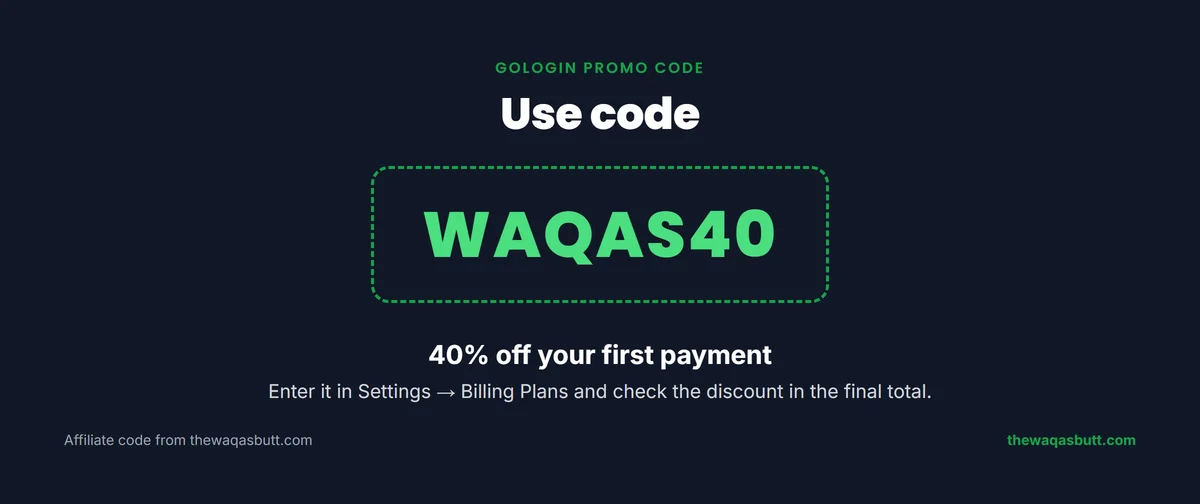
My code WAQAS40 gives you 40% off your first payment.
- Open GoLogin through my link and create your account.
- Install the app and sign in. Your 7-day trial starts automatically.
- Go to Settings → Billing Plans, choose your plan and enter WAQAS40 as the promo code.
- Check that the discount shows in the final total before you pay.
Looking for discounts on other tools? Check my coupons page.
How to get started
Setting up GoLogin takes only a few minutes.
- Sign up for GoLogin. The 7-day trial starts automatically.
- Download the app for Windows, macOS or Linux, or use the web app.
- Create a profile for each account. GoLogin fills in the fingerprint for you.
- Add a proxy that matches the account’s location: a built-in proxy or your own.
- Launch the profile and log in. Keep one account per profile.
- Share profiles with teammates instead of sharing passwords.
Start with one or two test profiles. Move real client accounts only once you’re comfortable with the workflow.
Pros and cons
Pros
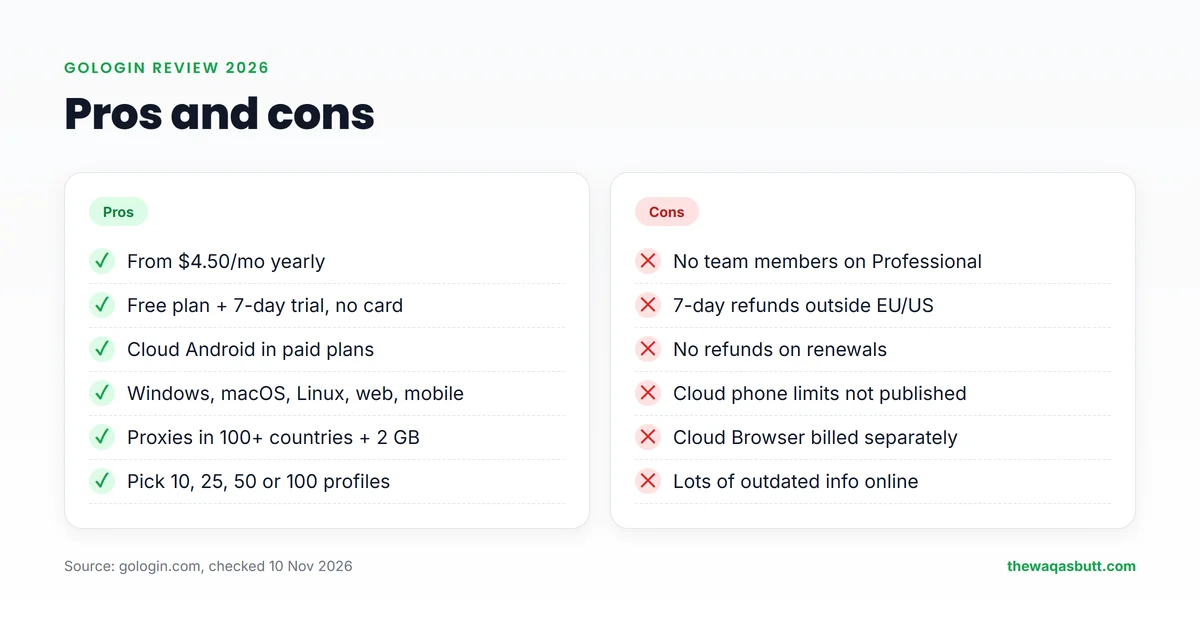
- One of the lowest entry prices: $4.50/month billed yearly.
- Forever Free plan with 3 profiles, and a 7-day trial with no card.
- Cloud Android phones included with paid plans.
- Works on Windows, macOS, Linux, web and mobile.
- Built-in proxies in 100+ countries, plus 2 GB of residential traffic.
- Pick exactly 10, 25, 50 or 100 profiles on Professional.
Cons
- No team members on Professional; only one on Business.
- Only 7 days to get a refund outside the EU and US.
- No refunds on renewal payments.
- Cloud phone limits are not published on the Cloud Android page.
- The Cloud Browser product is billed separately.
- Information online is often outdated, which makes plans confusing.
Who GoLogin is for (and who it’s not)

GoLogin is a good fit if you:
- Are a freelancer or small agency managing 10 to 100 accounts on a budget.
- Want desktop profiles and mobile cloud phones in one tool.
- Want to start on a free plan and pay only for the profiles you need.
It’s probably not for you if you:
- Need several full team members on a cheap plan. Seats cost extra.
- Want a long refund window from outside the EU or US.
- Only use one or two accounts. A normal browser may be enough.
Remember: no tool makes breaking a platform’s rules safe. GoLogin keeps your accounts separate, but each account still has to follow that platform’s terms.
GoLogin vs Multilogin vs AdsPower
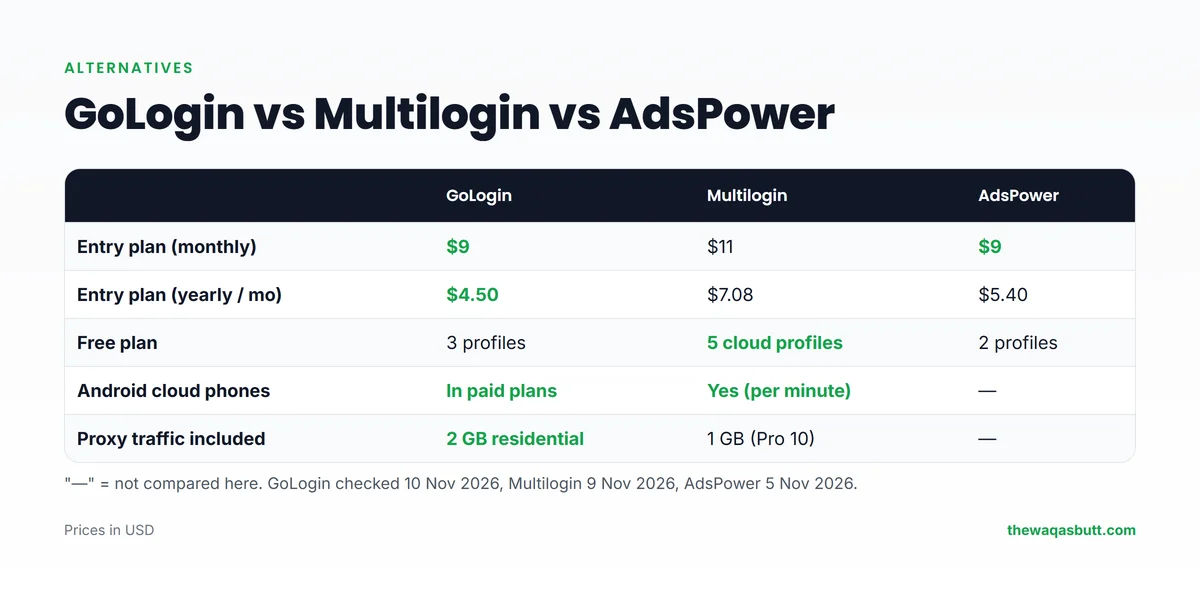
These are the three tools people compare most often. Here is how their entry plans look.
| GoLogin | Multilogin | AdsPower | |
|---|---|---|---|
| Entry plan (monthly) | $9 (10 profiles) | $11 (Pro 10) | $9 (Professional) |
| Entry plan (yearly, per month) | $4.50 | $7.08 | $5.40 |
| Free plan | 3 profiles | 5 cloud profiles (1 mobile) | 2 profiles |
| Android cloud phones | Included in paid plans | Included (uses mobile minutes) | Not compared here |
| Proxy traffic included | 2 GB residential | 1 GB on Pro 10 | Not compared here |
- Choose GoLogin if price matters most and you want cloud phones without paying per minute up front.
- Choose Multilogin if you want more team seats and per-minute cloud phones. Read my Multilogin review.
- Choose AdsPower if you mainly need cheap browser profiles.
What other GoLogin reviews get wrong
When I compared the top GoLogin reviews, I found the same problems again and again.
- Old prices: most still say Professional is $49/month for 100 profiles. Today 100 profiles cost about $39/month, and the plan starts at $9 for 10 profiles.
- Mixed-up numbers: some list the yearly price as higher than the monthly one, and one says the free plan has 1 profile instead of 3.
- No cloud phones: none of the reviews I checked mention Cloud Android, which is now included in paid plans.
- Refunds: they quote 7 days, 14 days or “case-by-case”. The Terms say 14 days for the EU and US, and 7 days elsewhere.
- No profile options: they miss that Professional now comes in 10, 25, 50 or 100 profiles, from $9 to $39 a month.
That’s why every number here comes from GoLogin’s own current pages, with the date I checked them.
Final verdict
GoLogin is one of the best-value antidetect browsers in 2026, especially for freelancers and small agencies worldwide. It is cheap, has a real free plan, and now includes Android cloud phones on paid plans. Test it on the free plan with one real account before you pay.
Its weak points are team seats and refunds. If you need many teammates, or a long refund window from outside the EU and US, plan for that before you buy.
If GoLogin fits your work, use code WAQAS40 for 40% off your first payment. For more tools I recommend, see my resources page.
FAQ
Is GoLogin free?
Yes. The Forever Free plan includes 3 browser profiles, without profile sharing or team members. New users also get a 7-day trial of paid features, and GoLogin says no card is required.
How much does GoLogin cost?
Professional starts at $9/month for 10 profiles, or $4.50/month billed yearly, and goes up to $39/month for 100 profiles. Business starts at $99/month for 300 profiles. With code WAQAS40 you get 40% off your first payment.
Does GoLogin have cloud phones?
Yes. GoLogin’s Cloud Android page says Android cloud phones are included with all paid plans. You can install apps from Google Play or upload an APK. Per-plan limits are not listed on that page.
Can I get a refund from GoLogin outside the EU and US?
Yes, but only for 7 days after your first purchase. GoLogin’s Terms give 14 days to EU and US clients and 7 days to everyone else. Renewal payments can’t be refunded, and crypto payments may be declined.
Does GoLogin include proxies?
Yes. You can use built-in proxies in 100+ countries or add your own. The pricing page includes 2 GB of residential proxy traffic with each paid plan by default.
Is GoLogin safe and legal?
GoLogin is a legitimate software product, and managing your own separate accounts is allowed in most countries. But it can’t make breaking a platform’s rules safe, so follow the terms of each site you use.
Which payment methods does GoLogin accept?
GoLogin’s FAQ lists PayPal, credit cards, crypto and some regional methods. Payments can be processed by resellers such as Paddle, so the name on your statement may differ.
Want more honest reviews and step-by-step guides for earning online? Join my newsletter.