Disclosure: This article contains affiliate links. If you buy through them, I may earn a commission at no extra cost to you. I only recommend tools I’ve researched carefully, and my opinions are my own. Read the full disclaimer.
If you manage several social media, ad or e-commerce accounts for clients, you may have seen accounts get linked, restricted or asked for verification, even when you did nothing wrong.
One big reason is browser fingerprinting: websites can recognize your browser from dozens of small details, even without cookies.
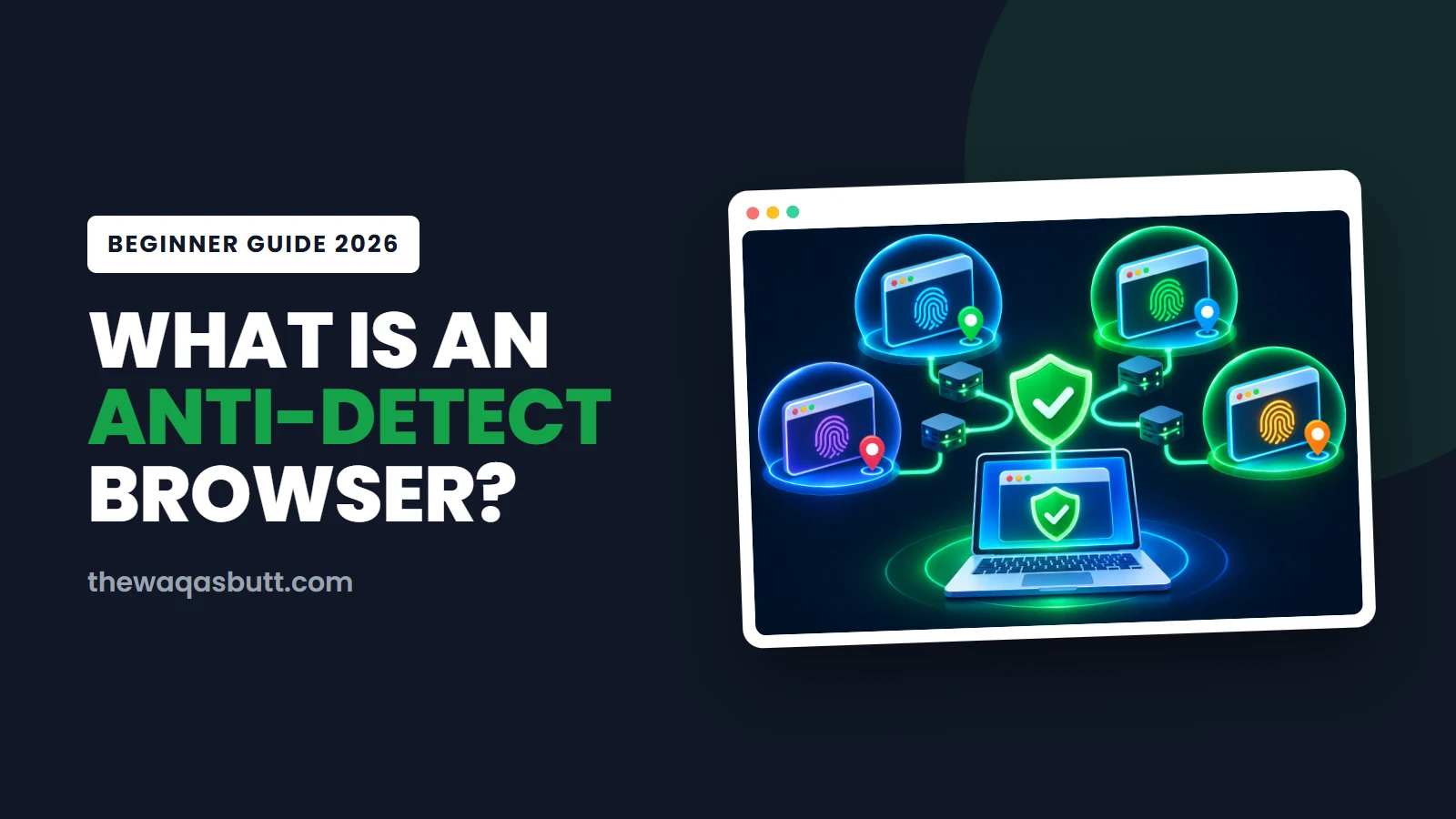
An anti-detect browser (also written antidetect browser) gives every account its own separate browser profile. In this guide, I’ll explain how fingerprinting works with a real test, how anti-detect browsers work, who uses them legitimately, what the platform rules actually say, and how to choose one.
Quick answer
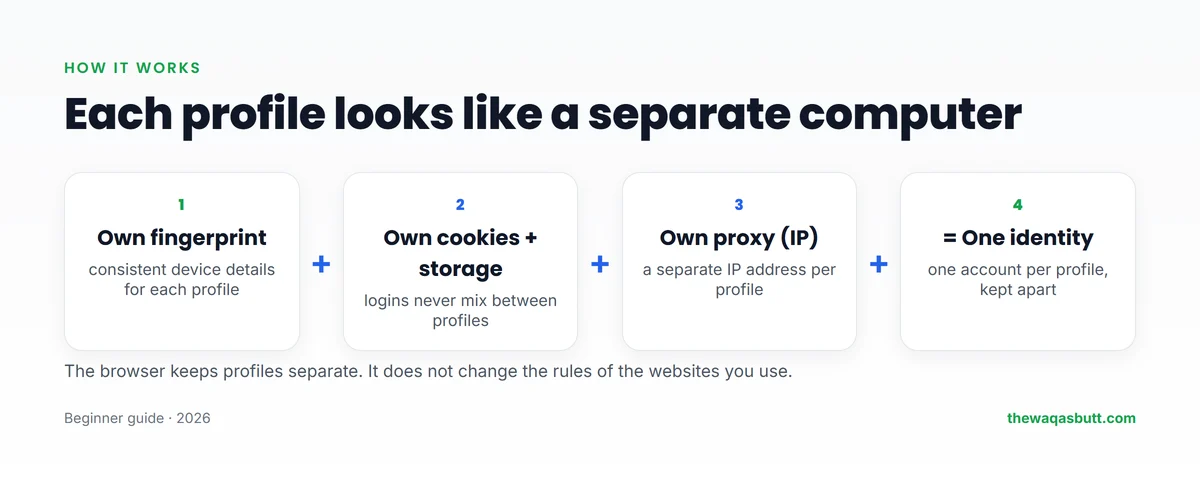
- An anti-detect browser lets you create many browser profiles. Each has its own fingerprint, cookies and proxy, so it looks like a separate computer.
- Why it exists: websites identify browsers through fingerprints. In my test, a normal Edge browser was nearly unique among about 190,000 browsers.
- Legitimate uses: agencies managing client accounts, ad verification, e-commerce sellers, QA testing and privacy.
- Not a magic shield: it doesn’t change platform rules. Facebook’s terms say to create only one personal account.
- Options: Multilogin, GoLogin and ixBrowser all have free plans; paid plans start from $3.99 to $11 a month.
For serious multi-account work, I recommend Multilogin. Code Waqas50 gives 50% off your first payment.
In this guide
- What is browser fingerprinting?
- A real test: how unique is a normal browser?
- What is an anti-detect browser?
- How does an anti-detect browser work?
- Anti-detect browser vs incognito vs VPN
- Who uses anti-detect browsers?
- Is an anti-detect browser legal?
- What you need besides the browser
- Popular anti-detect browsers compared
- How to choose an anti-detect browser
- How to set up your first profile
- Common mistakes to avoid
- Practical tips before you start
- What other guides get wrong
- How I researched this guide
- Final thoughts
- FAQ
What is browser fingerprinting?
Every time you open a website, your browser shares technical details so the page can display correctly. Together, these details form a browser fingerprint.
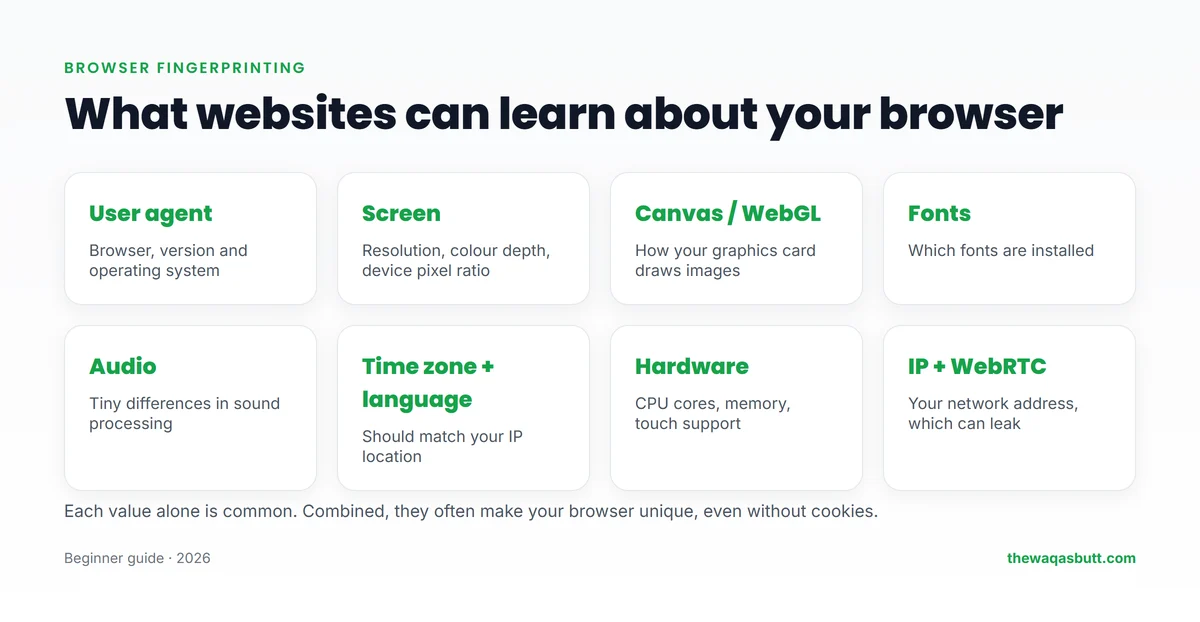
- User agent: your browser, version and operating system.
- Screen: resolution and colour depth.
- Canvas and WebGL: tiny differences in how your graphics card draws images.
- Fonts, audio and hardware: installed fonts, sound processing, CPU cores and memory.
- Time zone, language and IP address, which should match each other.
No single detail identifies you. But combined, they often create a pattern that’s unique to your device, and it works even if you clear cookies or use incognito mode.
A real test: how unique is a normal browser?
To show this in practice, I tested a fresh Microsoft Edge browser with Cover Your Tracks, a free tool from the Electronic Frontier Foundation (EFF), on 12 November 2026.
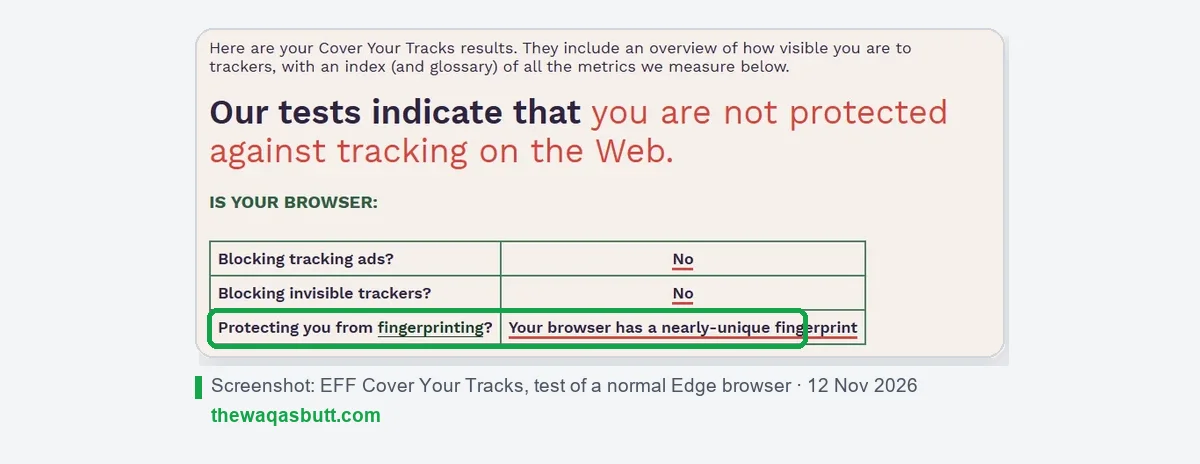
The result: the browser had a nearly unique fingerprint. Only one in about 190,000 browsers tested in the previous 45 days had the same fingerprint, which EFF measured as 17.54 bits of identifying information.
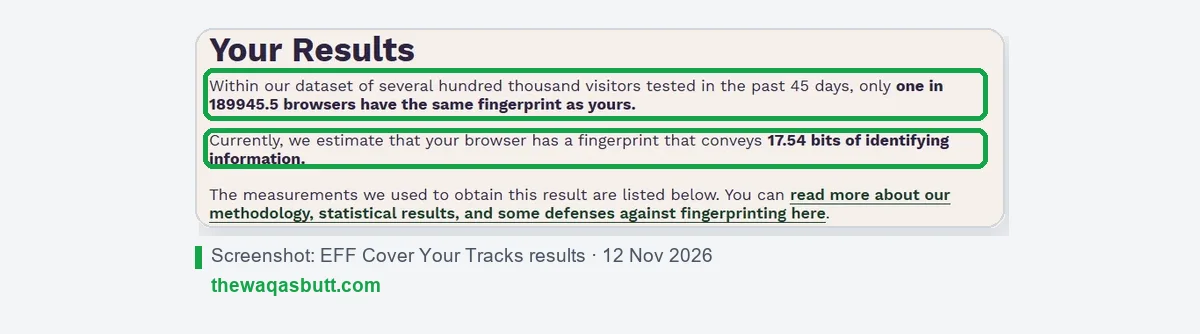
In other words, a website doesn’t need your name to recognize your browser. If you log in to five accounts from the same browser, the platform can easily see they share one device.
What is an anti-detect browser?
An anti-detect browser (also called a multi-account or antidetect browser) is a browser built to manage many isolated profiles. Most are based on Chromium, the engine behind Chrome.
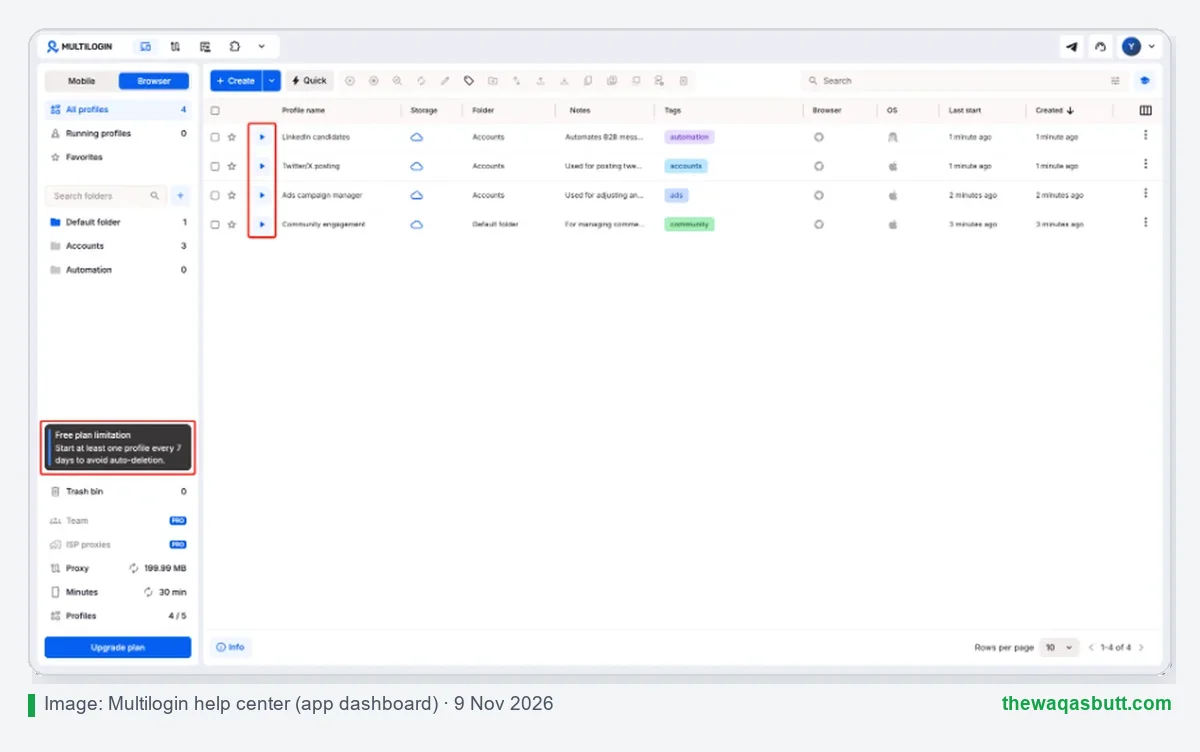
Each profile acts like a separate computer: it has its own consistent fingerprint, its own cookies and saved logins, and usually its own proxy. Teams can share profiles without sharing passwords.
Some tools, like Multilogin and DuoPlus, also offer cloud phones: Android devices in the cloud for mobile-first apps such as TikTok.
How does an anti-detect browser work?
- You create a profile for one account, for example a client’s Facebook ad account.
- The browser assigns a fingerprint that looks like a real, consistent device.
- You add a proxy so the profile has its own IP address, ideally in the account’s country.
- You log in once. Cookies stay inside that profile, separate from every other profile.
- You or your team reopen the profile any time, and it looks like the same device again.
The key word is consistency. A profile should look like the same device every day, not a random new one.
Anti-detect browser vs incognito vs VPN
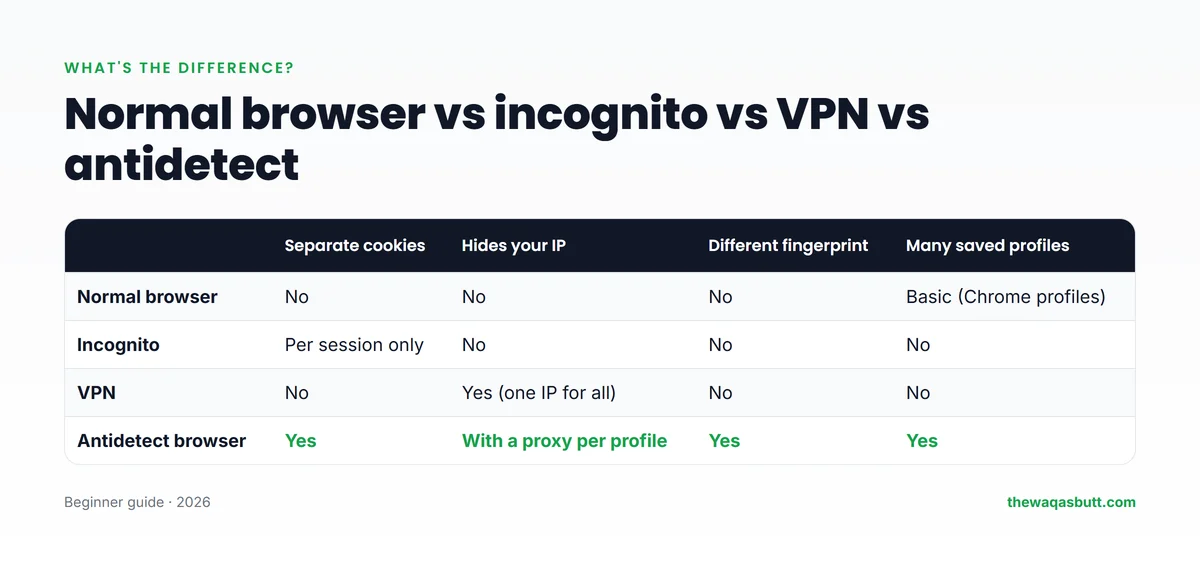
| Separate cookies | Hides your IP | Different fingerprint | Many saved profiles | |
|---|---|---|---|---|
| Normal browser | No | No | No | Basic (Chrome profiles) |
| Incognito | Per session only | No | No | No |
| VPN | No | Yes, one IP for everything | No | No |
| Anti-detect browser | Yes | With a proxy per profile | Yes | Yes |
Incognito only forgets cookies when you close it. A VPN changes your IP, but every account still shares the same browser fingerprint and the same VPN IP. An anti-detect browser separates both.
Who uses anti-detect browsers?
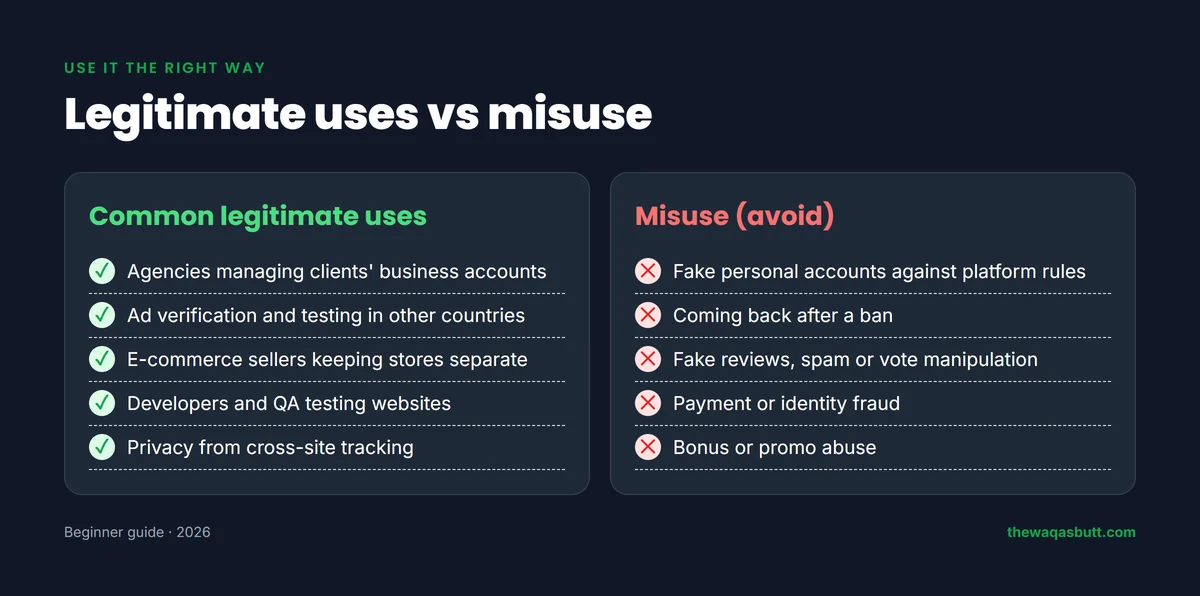
- Social media and ad agencies managing many clients’ business accounts without mixing logins.
- E-commerce sellers running separate stores where each platform allows it.
- Affiliate marketers and media buyers testing ads and landing pages in different countries.
- Developers and QA testers checking how websites behave on different devices.
- Privacy-minded people who want to reduce cross-site tracking.
The same tools can be misused: fake personal accounts, coming back after a ban, fake reviews or payment fraud. Those break platform rules and, in some cases, the law. Don’t do them.
Is an anti-detect browser legal?
In most countries, using an anti-detect browser is legal. It’s software for managing browser profiles, just like the profile feature in Chrome but more advanced.
What matters is what you do with it. Each platform has its own rules. For example, Meta’s Terms of Service say Facebook users must “only create one account (your own) and use it for personal purposes”.
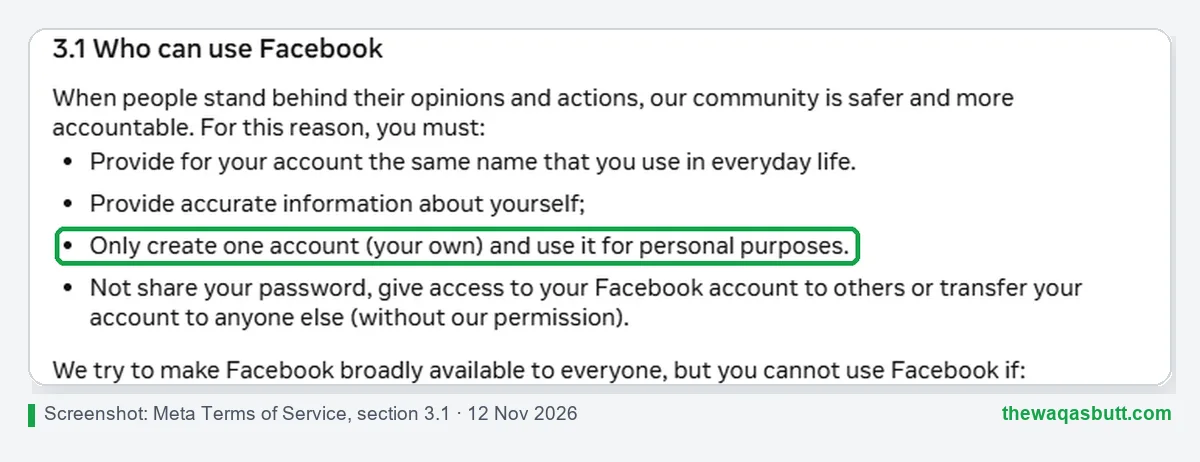
So an anti-detect browser doesn’t make fake personal accounts acceptable. Agencies should use proper tools such as business managers and client access, and keep each client’s account in its own profile.
Fraud, identity theft and impersonation are crimes in almost every country, whatever tool is used. If you’re unsure about a platform’s rules, read its terms before you create accounts.
What you need besides the browser
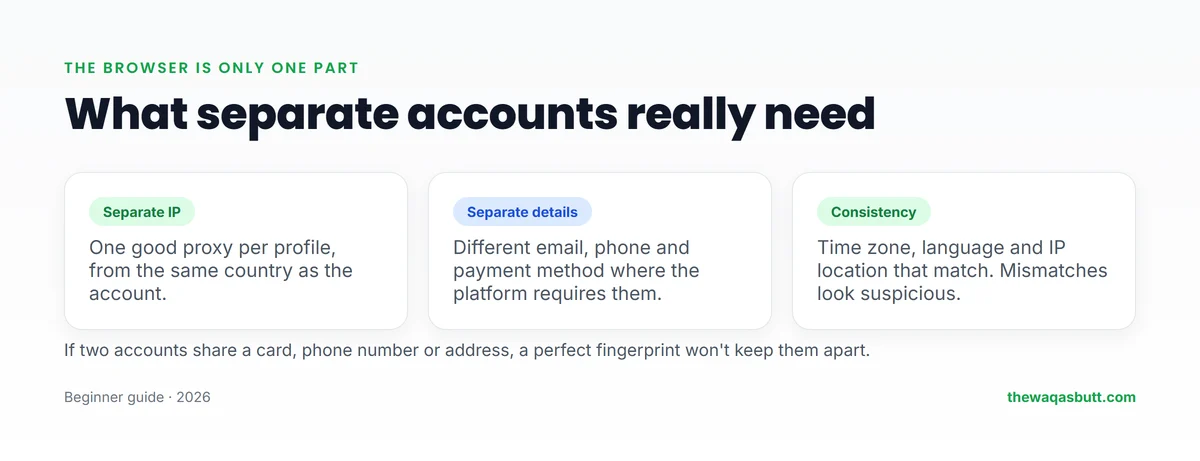
- A good proxy for each profile. Residential or ISP proxies from the account’s country work best. I reviewed Proxy-Seller, where code WAQAS gives 15% off IPv4, IPv6, ISP and residential proxies.
- Separate details where required, such as email, phone number and payment method.
- Consistent settings: time zone, language and IP location that match.
- Strong, unique passwords for every account. A password manager helps.
If two accounts share the same card, phone number or address, no fingerprint will keep them apart.
Popular anti-detect browsers compared
Here are three options I’ve researched in detail, with prices from their official sites in November 2026.
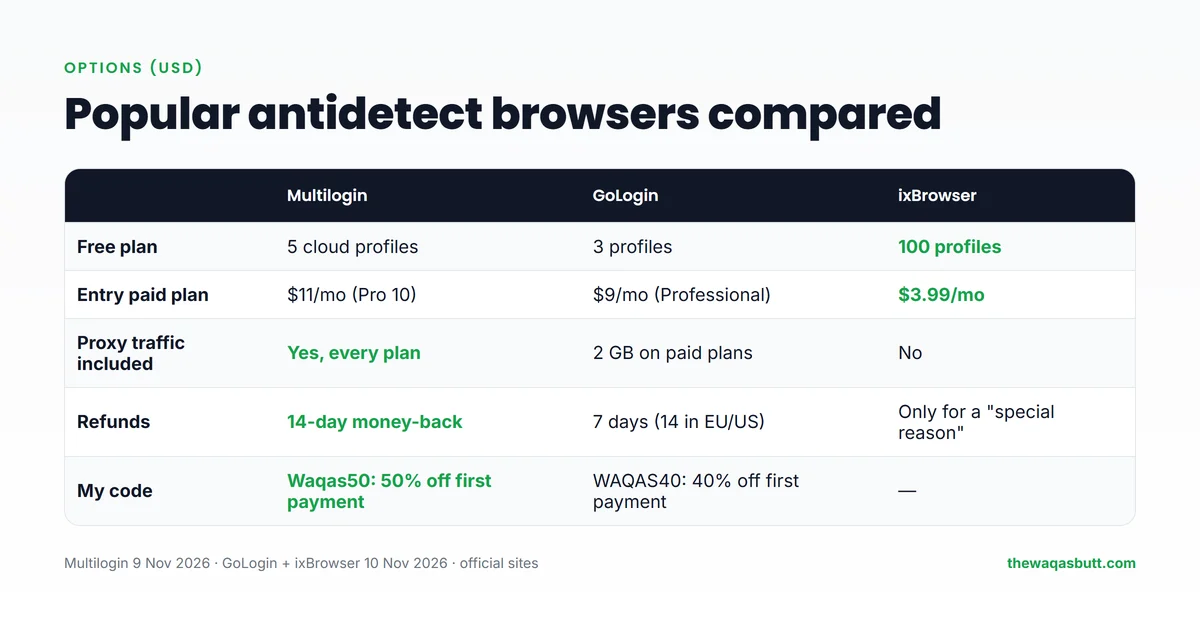
| Multilogin | GoLogin | ixBrowser | |
|---|---|---|---|
| Free plan | 5 cloud profiles | 3 profiles | 100 profiles |
| Entry paid plan | $11/month (Pro 10) | $9/month (Professional) | $3.99/month |
| Proxy traffic included | Yes, on every plan | 2 GB on paid plans | No |
| Refunds | 14-day money-back guarantee | 7 days (14 in the EU/US) | Only for a “special reason” |
| My code | Waqas50: 50% off first payment | WAQAS40: 40% off first payment | None |
- Multilogin: the most established option, with built-in proxy traffic and cloud phones. Read my Multilogin review.
- GoLogin: a middle option with residential traffic on paid plans and a refund window.
- ixBrowser: the most generous free plan, good for beginners on a tight budget.
How to choose an anti-detect browser
- Start free: test the free plan before paying, and check the refund policy.
- Fingerprint quality: look for regular browser-engine updates, so profiles don’t look outdated.
- Proxies: decide whether you want proxy traffic included or will bring your own.
- Team features: roles, permissions and profile sharing if you work with others.
- Mobile needs: cloud phones if your accounts are on mobile-first apps.
- Support and reputation: a known company and clear terms matter when your clients’ accounts are at stake.
How to set up your first profile
Whichever tool you pick, the first setup follows the same pattern. Take it slowly: a careful first profile teaches you more than ten rushed ones.
- Pick one real account to start with, ideally one you already manage, such as a client’s business page.
- Create a new profile and give it a clear name, for example the client and the platform, so your team knows what it is.
- Keep the suggested fingerprint. Good tools generate a consistent one; changing random settings by hand often makes a profile look less natural.
- Add one proxy for this profile only, located in the same country as the account and its usual users.
- Check that time zone and language match the proxy. Most tools can set these automatically from the proxy location.
- Log in once and work normally. Post, reply and browse the way a real person would, instead of doing everything in the first hour.
- Reopen the same profile every time you use that account, and never log in to it from your normal browser.
Once this works for a week or two, add the next account in its own new profile. Growing slowly makes problems easy to spot.
Before you add a teammate, decide who may open which profiles. Most tools let you share a profile without sharing the account password, and you can remove access the day someone stops working with you. That one habit prevents many lost accounts.
Common mistakes to avoid
Most account problems come from habits, not from the browser itself. These are the mistakes I see most often:
- Several accounts in one profile. Each profile should hold exactly one account; otherwise you lose the whole point of separation.
- One proxy shared by many profiles. If ten accounts use the same IP address, the platform can still connect them.
- Free or public proxies. They are often slow, already flagged and sometimes unsafe. Use a paid provider you can trust.
- Mismatched location details. A proxy in the US with a time zone and browser language from another country looks inconsistent.
- Logging in from your normal browser “just once”. That single login can link the account to your real device.
- Sharing passwords on WhatsApp. Use the tool’s team roles and profile sharing so people can work without seeing passwords.
- Ignoring platform rules. No browser makes fake personal accounts, ban evasion or fake reviews acceptable.
If an account still gets a verification request, don’t panic. Complete it honestly with the real account owner’s details, from the same profile and proxy.
Practical tips before you start
- Prices are in US dollars. Use a card that allows international payments, and start on a free plan before paying.
- Match proxies to your clients, not to yourself. If you manage a UK client’s account, a UK proxy usually makes more sense than one from your own country.
- Unreliable internet or power: cloud phones run in the provider’s data center, and cloud-saved profiles reopen with the same cookies after your connection comes back.
- Keep client agreements in writing. When you manage accounts for others, a simple agreement about access and responsibilities protects both sides.
- Learn on free plans first. Multilogin, GoLogin and ixBrowser all have free plans, so you can practise the full setup before spending money.
- Keep a simple record of each profile: which account, which proxy and who on your team can open it. A shared sheet saves hours when something goes wrong.
Freelancers who manage accounts for foreign clients often earn in dollars, so a reliable setup is worth it. Start small, keep every account clean and legitimate, and grow your profile count only as your client list grows.
What other guides get wrong
When I read the top-ranking “what is an anti-detect browser” articles in the US, a few problems stood out:
- “Undetectable” promises: no tool can promise accounts will never be flagged, and none of the guides I read shows independent test data.
- Vendor bias: most are written by browser makers, proxy sellers or fraud-detection companies, each with its own angle.
- Vague on rules: few quote what platforms actually say, such as Facebook’s one-personal-account rule.
- The browser alone: many skip the fact that proxies, phone numbers and payment details also link accounts.
How I researched this guide
- Real test: I tested a fresh Edge browser with EFF’s Cover Your Tracks on 12 November 2026.
- Official sources: Meta’s Terms of Service, plus the pricing and help pages of Multilogin, GoLogin, ixBrowser, DuoPlus and Proxy-Seller, which I checked for my full reviews on 9–10 November 2026.
- Competitor guides: I read 10 top-ranking guides in the US and noted what they miss.
Final thoughts
An anti-detect browser keeps each account in its own profile, with its own fingerprint, cookies and proxy. My test shows why that matters: a normal browser is close to unique, so multiple accounts in one browser are easy to link.
Used properly, it’s a practical tool for agencies, sellers and marketers. It isn’t a way around platform rules, so keep your accounts legitimate and your details consistent.
If you’re ready to try one, you can start with Multilogin here and use code Waqas50 for 50% off your first payment. For more tools I use, see my resources page.
FAQ
What is an anti-detect browser in simple words?
It’s a browser that lets you create many separate profiles. Each profile has its own fingerprint, cookies and proxy, so it looks like a different computer to websites.
How does a website know it’s the same browser?
Through browser fingerprinting: details like your screen, fonts, graphics card, time zone and user agent. In an EFF test on 12 November 2026, a normal Edge browser was nearly unique among about 190,000 browsers.
Is using an anti-detect browser legal?
Using the software is legal in most countries. What matters is how you use it. Platform rules still apply, and fraud or impersonation is illegal everywhere.
Is an anti-detect browser the same as a VPN?
No. A VPN changes your IP address but not your browser fingerprint. An anti-detect browser separates fingerprints and cookies, and uses a proxy per profile for separate IPs.
Do I need proxies with an anti-detect browser?
Usually yes. Without a separate IP for each profile, accounts can still be linked by IP address. Some tools, like Multilogin, include proxy traffic in their plans.
Is there a free anti-detect browser?
Yes. ixBrowser’s free plan has 100 profiles, Multilogin’s has 5 cloud profiles and GoLogin’s has 3, based on their official sites in November 2026.
Can an anti-detect browser stop all bans?
No. It reduces technical links between accounts, but platforms also look at behaviour, payment details and phone numbers. Following each platform’s rules matters most.
Want honest reviews and guides on tools for earning online? Join my newsletter.